EasyManua.ls Logo

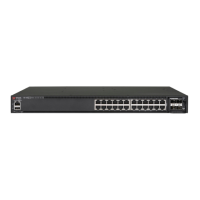
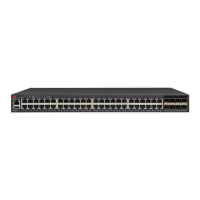
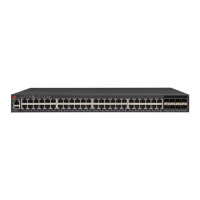
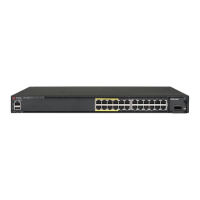
Brocade Communications Systems ICX 7450 - User Manual

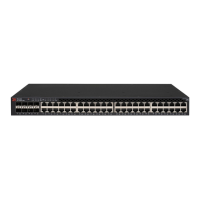
Brocade Communications Systems ICX 7450
94 pages
Print Icon
To Next Page IconTo Next Page
Loading...
53-1003623-03
10 October 2016
®
Brocade ICX 7450
Hardware Installation Guide
Supporting FastIron Software Release 08.0.30

Table of Contents

Other manuals for Brocade Communications Systems ICX 7450

Question and Answer IconNeed help?

Do you have a question about the Brocade Communications Systems ICX 7450 and is the answer not in the manual?

Summary

Chapter 1 Brocade ICX 7450 Overview

Brocade ICX 7450 Features

The switch's key capabilities and hardware components.

Chapter 2 Installing the Brocade ICX 7450

Unpacking the Device

List of items included in the Brocade ICX 7450 shipping carton.

Installation and Safety Considerations

Guidelines for installing the switch safely and correctly.

Installation Precautions

General, lifting, and power precautions for device installation.

Installing the Device on a Desktop

Steps for installing the ICX 7450 on a flat surface.

Installing the Device in a Rack or Cabinet

Procedures for mounting the switch in a rack.

2-Post Rack Mount Installation

Steps for mounting the Brocade ICX 7450 in a 2-post rack.

4-Post Rack Mount Installation

Procedures for mounting the Brocade ICX 7450 in a 4-post rack.

Connecting Devices in a Stack

Information on operating the switch as a standalone or stacked unit.

Grounding the System

Instructions for connecting the grounding terminal for safety.

Powering on the System

Steps to power on the Brocade ICX 7450 after physical installation.

Power Supplies

Information on AC and DC power supplies, redundancy, and usage.

Installing an AC Power Supply

Step-by-step guide for installing an AC power supply.

Chapter 3 Brocade ICX 7450 Operation

Diagnostic Tests and Monitoring

Using Brocade FastIron software for hardware troubleshooting.

Chapter 4 Managing the Brocade ICX 7450

Replacing a Power Supply Unit

Detailed steps for replacing a power supply unit.

Appendix A Brocade ICX 7450 Specifications

Appendix C Brocade ICX 7450 Cautions and Danger Notices

Summary

Chapter 1 Brocade ICX 7450 Overview

Brocade ICX 7450 Features

The switch's key capabilities and hardware components.

Chapter 2 Installing the Brocade ICX 7450

Unpacking the Device

List of items included in the Brocade ICX 7450 shipping carton.

Installation and Safety Considerations

Guidelines for installing the switch safely and correctly.

Installation Precautions

General, lifting, and power precautions for device installation.

Installing the Device on a Desktop

Steps for installing the ICX 7450 on a flat surface.

Installing the Device in a Rack or Cabinet

Procedures for mounting the switch in a rack.

2-Post Rack Mount Installation

Steps for mounting the Brocade ICX 7450 in a 2-post rack.

4-Post Rack Mount Installation

Procedures for mounting the Brocade ICX 7450 in a 4-post rack.

Connecting Devices in a Stack

Information on operating the switch as a standalone or stacked unit.

Grounding the System

Instructions for connecting the grounding terminal for safety.

Powering on the System

Steps to power on the Brocade ICX 7450 after physical installation.

Power Supplies

Information on AC and DC power supplies, redundancy, and usage.

Installing an AC Power Supply

Step-by-step guide for installing an AC power supply.

Chapter 3 Brocade ICX 7450 Operation

Diagnostic Tests and Monitoring

Using Brocade FastIron software for hardware troubleshooting.

Chapter 4 Managing the Brocade ICX 7450

Replacing a Power Supply Unit

Detailed steps for replacing a power supply unit.

Appendix A Brocade ICX 7450 Specifications

Appendix C Brocade ICX 7450 Cautions and Danger Notices

Brocade Communications Systems ICX 7450 Specifications

General IconGeneral
ModelICX 7450
Uplink Ports4
10 Gigabit Ethernet Ports8
40 Gigabit Ethernet Ports2
Power SupplyInternal
Redundant Power SuppliesYes
Redundant FansYes
StackingYes
Form Factor1U
Product SeriesICX
LayerLayer 2/Layer 3
Ports48
Operating Temperature0°C to 40°C
Storage Temperature-40°C to 70°C
Humidity10% to 90% (non-condensing)

Related product manuals