EasyManua.ls Logo

Brocade Communications Systems FWS648G - User Manual

Brocade Communications Systems FWS648G
74 pages
Print Icon
To Next Page IconTo Next Page
Loading...
53-1002188-01
18 February 2011
®
DRAFT: BROCADE CONFIDENTIAL
Brocade FastIron WS
Hardware Installation Guide
Supporting Release 07.2.02

Table of Contents

Question and Answer IconNeed help?

Do you have a question about the Brocade Communications Systems FWS648G and is the answer not in the manual?

Summary

Product Overview

Hardware features

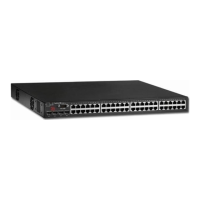
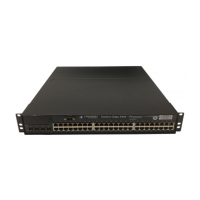
Overview of FastIron WS switch models, port types, and physical characteristics.

Power supplies

Information on optional redundant power supplies and their receptacles.

Installing FWS624 and FWS648 Models

Installation precautions

Critical safety and operational precautions before and during installation.

Preparing the installation site

Site preparation, including cabling infrastructure and location selection.

Installing the device

Instructions for desktop and rack mounting the FastIron WS device.

Installing a redundant power supply

Steps for installing RPS2-EIF and RPS12 external redundant power supplies.

Connecting Network Devices and Checking Connectivity

Assigning permanent passwords

Secure CLI access by configuring user and super-user passwords.

Configuring IP addresses

Setting up IP addresses for device management and network communication.

Testing connectivity

Verifying network links using LEDs, ping, and traceroute commands.

Troubleshooting

Diagnosing switch indicators

A chart to troubleshoot issues based on switch LED status.

Power and cooling problems

Steps for resolving issues related to power indicators or unit shutdown.

Caution and Danger Notices

Cautions

Warnings about potential equipment damage or hazards.

Danger

Warnings about hazards that could cause injury or death.

Summary

Product Overview

Hardware features

Overview of FastIron WS switch models, port types, and physical characteristics.

Power supplies

Information on optional redundant power supplies and their receptacles.

Installing FWS624 and FWS648 Models

Installation precautions

Critical safety and operational precautions before and during installation.

Preparing the installation site

Site preparation, including cabling infrastructure and location selection.

Installing the device

Instructions for desktop and rack mounting the FastIron WS device.

Installing a redundant power supply

Steps for installing RPS2-EIF and RPS12 external redundant power supplies.

Connecting Network Devices and Checking Connectivity

Assigning permanent passwords

Secure CLI access by configuring user and super-user passwords.

Configuring IP addresses

Setting up IP addresses for device management and network communication.

Testing connectivity

Verifying network links using LEDs, ping, and traceroute commands.

Troubleshooting

Diagnosing switch indicators

A chart to troubleshoot issues based on switch LED status.

Power and cooling problems

Steps for resolving issues related to power indicators or unit shutdown.

Caution and Danger Notices

Cautions

Warnings about potential equipment damage or hazards.

Danger

Warnings about hazards that could cause injury or death.

Brocade Communications Systems FWS648G Specifications

General IconGeneral
ModelFWS648G
TypeSwitch
Weight12.13 lbs
MAC Address Table Size16, 000 entries
Remote Management ProtocolSNMP, Telnet, HTTP, HTTPS, CLI
FeaturesVLAN support, QoS, ACLs, Link Aggregation, Port Mirroring
Compliant StandardsIEEE 802.3, 802.3u, 802.3z, 802.1D, 802.1Q, 802.3ab, 802.1p, 802.3x
Dimensions (H x W x D)17.3 in
Operating Temperature32 °F to 104 °F (0 °C to 40 °C)
Storage Temperature-40 to 158°F (-40 to 70°C)
Humidity10% to 90% non-condensing

Related product manuals