7DRNX SLM BY BROOD
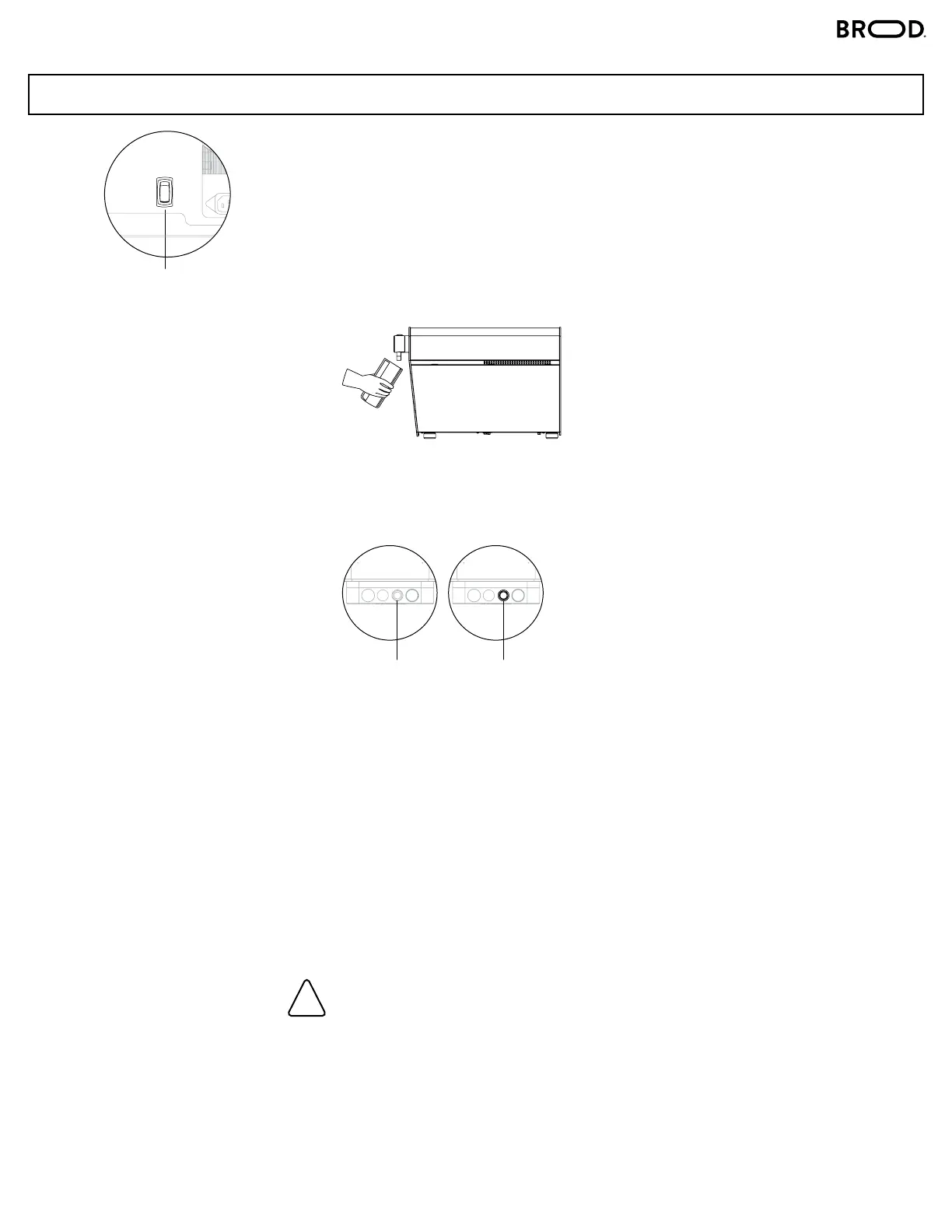
1. Switch on the main ON/OFF button at the bottom of the machine.
2. Place your cup beneath the stout at an angle for the best pour.
3. Priming: When connecting to a beverage container for the first time, it is
important to keep pouring until the beverage from the spout is flowing
normally. Expect a small spurt of air that might come from the spout during
this process. Keep the glass raised high and close to the spout to contain it.
4. To pour a NITRO beverage, press “INFUSION”.
To pour a STILL beverage, de-press “INFUSION”.
Please note, if the last pour was nitro cold brew and the operator wants the
next pour to be still cold brew, there will be less than 5 mL (0.34 oz) of
nitro cold brew in the tap that will come out. Every subsequent still cold brew
pour will come out fully still, until the next nitro cold brew pour.
5. Press the black capped button, or pull the tap handle down to start pouring,
and release it when the pour has been completed.
Make sure the pre-filter adapter is installed in the beverage tube.
Ensure that the coee is filtered with a fineness of at least 100 μm (microns).
Not using the pre-filter risks damaging the internal components of DRNX SLM.
OPERATION
!
STEPS
MAIN ON/OFF SWITCH
ON BOTTOM OF MACHINE
INFUSION BUTTON
OFF
(NO LIGHT)
INFUSION BUTTON
ON
(LIGHT)



 To Next Page