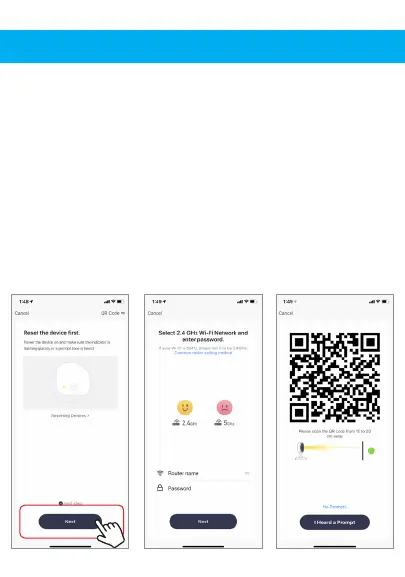
4. Press the “next step” button
5. Make sure phone is connected to the Wi-Fi
network that the device will be connected to.
Enter your password for the Wi-Fi network.
6. Follow the directions in the app and hold the
QR code on the screen in front of the view of the
camera.


 To Next Page