Need help?
Do you have a question about the Brookstone BKWIFICAM and is the answer not in the manual?
Details FCC Part 15 compliance, interference conditions, and user cautions for operation.
States adherence to FCC radiation exposure limits for uncontrolled environments and minimum separation distance.
Lists key technical details including model, resolution, night vision, sensor, storage, and operating system compatibility.
Outlines the one-year limited warranty, customer service contact, and manufacturer details.
Highlights core capabilities such as Wi-Fi remote control, pan/tilt, night vision, motion detection, and two-way audio.
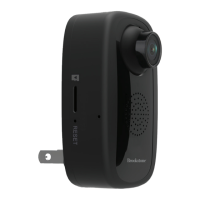
Identifies physical components of the camera like SD card slot, reset button, IR cut, and USB port.
Lists all items included in the product packaging, such as the camera, adapter, cable, and manual.
Provides instructions for downloading the "Brookstone Smart" app from Google Play or the Apple App Store.
Guides users on launching the app, registering a new account, and logging in.
Details initial steps like powering the camera, ensuring Wi-Fi connectivity, and selecting the device in the app.
Covers entering Wi-Fi password and the QR code scanning process for device pairing.
Explains the final connection steps, device initialization, and user-defined naming for the camera.
Instructs on how to enable or disable push notifications for all connected devices within the app settings.
Details the steps to remove a device from the app, including navigating through settings and confirming removal.
Guides on accessing and viewing the real-time video stream from the camera via the app interface.
Explains how to record video footage, stop recording, and access recorded files through the playback feature.
Details the process of taking still photos with the camera and where these images are stored.
Explains how to use the two-way audio function, allowing communication through the camera.
Describes how the camera's infrared night vision automatically activates in darkness and deactivates in light.
Guides on setting up motion detection, adjusting sensitivity levels, and enabling alerts.
Details how to remotely pan and tilt the camera lens using the app's directional controls.
Describes controls available on the live feed for sound, video quality selection, and signal strength indication.
Explains the process of sharing camera access with other Brookstone Smart accounts via email.
This document describes the Brookstone Wi-Fi Camera (Model: BKWIFICAM), a smart home security device designed for remote monitoring and surveillance. The camera is controlled via a dedicated mobile application, "Brookstone Smart," available for both Android and iOS devices.
The Brookstone Wi-Fi Camera is a remote-controlled surveillance camera that allows users to monitor their surroundings through a mobile application. It offers live video streaming, video recording, and the ability to take still photos. The camera features two-way audio, enabling users to communicate through the camera's built-in microphone and speaker. Motion detection is a key feature, sending push notifications to the user's phone when activity is detected within its surveillance area. The camera's lens can be remotely tilted and panned, providing 360° coverage. Infrared night vision automatically activates in low-light conditions, ensuring continuous monitoring.
The camera is designed for ease of use through the "Brookstone Smart" app.
The product comes with a One Year Limited Warranty. Customer service can be reached at 732-994-2301. The Brookstone trademark is owned by BKST Brand Holdings LLC ©2019 and distributed by Smartpoint LLC.
 General
| Brand | Brookstone |
|---|---|
| Model | BKWIFICAM |
| Category | Security Camera |
| Language | English |

 To Next Page