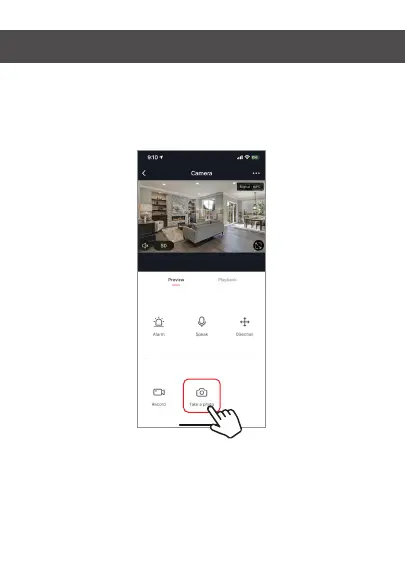
Taking a Photo
To take a photo, press “take a photo” and the photo will be
saved to your phone in the photos and video section.
Infrared Night Vision
Infrared night vision is controlled by camera automatically.
When the area around the camera becomes too dark, the
infrared night vision will activate automatically. When the
area around the camera is bright again, the night vision will
deactivate automatically.


 To Next Page