Motion Detection
The camera uses infrared sensors when someone/something
appears within its detection area. Push notifications will be
sent your phone once motion is detected.
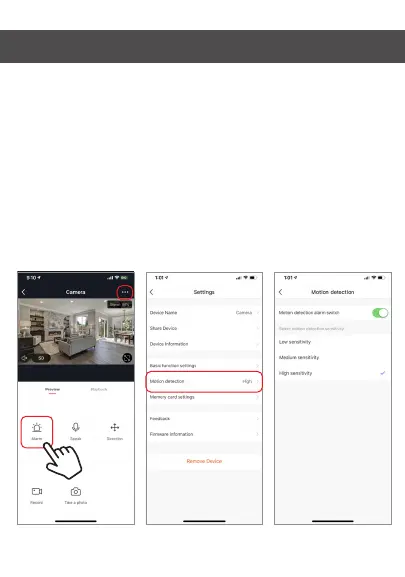
To access control of motion detection press the camera
setting button at the top right. On the next page you can
select “motion detection”. From there you can turn it on/off
and set the sensitivity setting. You can also get to this from
hitting the “alarm” button on the main camera page.


 To Next Page