Remotely Controlling the Camera Lens
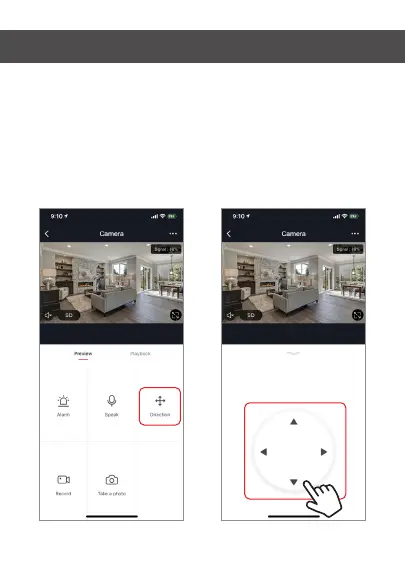
To remotely control the camera press the “Direction” button
on the main camera screen. From here you can rotate pan
or tilt on the camera lens. You can also control the pan and
tilt movement of the lens by turning your phone sideways
and dragging your finger in any direction on the screen.


 To Next Page