Video Recording
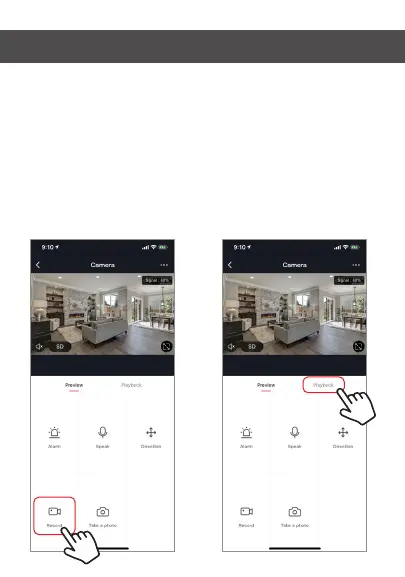
To record video press the “record” button at the bottom left
corner of the screen. To end recording, press “record” button
again. To view recordings, press “playback” button at the
middle, right of the screen.
Note: You must have an SD Card in camera to record video
in app. If you do not have an SD card in camera, recorded
video will be saved to your phone in the photos and video
section.


 To Next Page