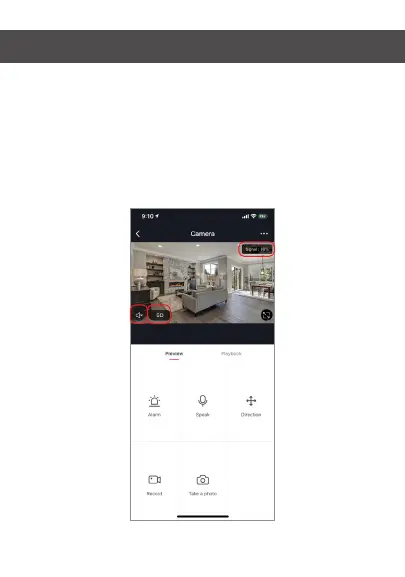
Hub controls (sound, video quality, signal strength)
You can control features from the live video feed. There is a
volume button that is used to mute and unmute the live
feed. Next to that button is the video quality button and it
can be used to switch between standard and high definition
video. In the top right, the signal strength of the camera is
shown.


 To Next Page