PUSH NOTIFICATIONS
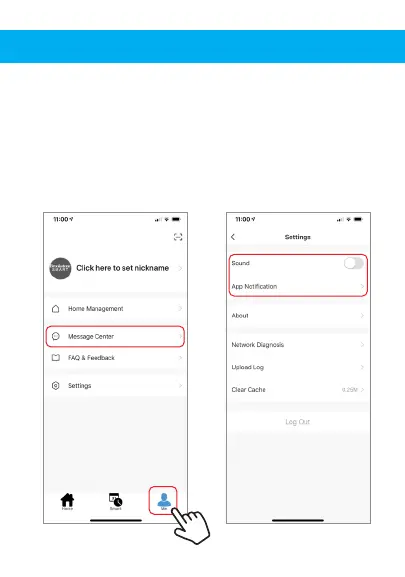
1. You can turn on/off notifications for all devices
connected to app by clicking on the “Me” button at the
bottom right of the screen.
2. Then click on ”Settings” button. From there you can turn
on/off all notifications.
3. To view notifications in the app, click on “message
center” on the “me” tab on the bottom.


 To Next Page