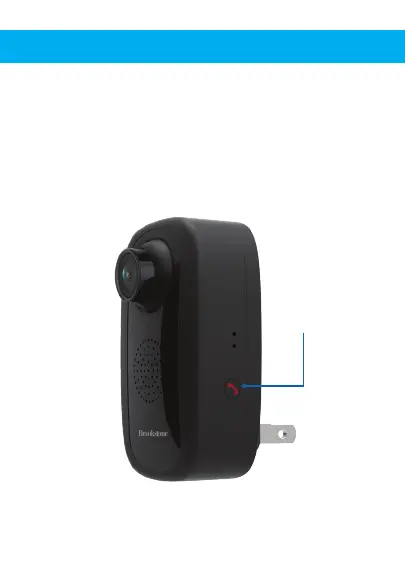
ONE-TOUCH CALL OUT BUTTON
When a person in front of the camera wishes to reach
the app owner, they can press the call button to send
out the request for two-way audio. When the app
owner accepts the request, the camera will be
activated. This feature can be used for in emergency
situations.
One-Touch
Call Out Button


 To Next Page