APP FUNCTIONS
Live Video
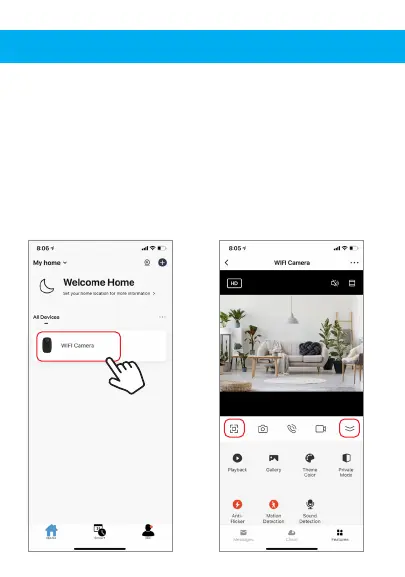
To view live video simply click on the device under “All
devices” and select the camera you just added. Hit the full
screen button in the top left corner to see your live footage
at full screen on your phone.
To hide the control panel, you can press the top right
button. To view the control panel again, press the same
button again.


 To Next Page