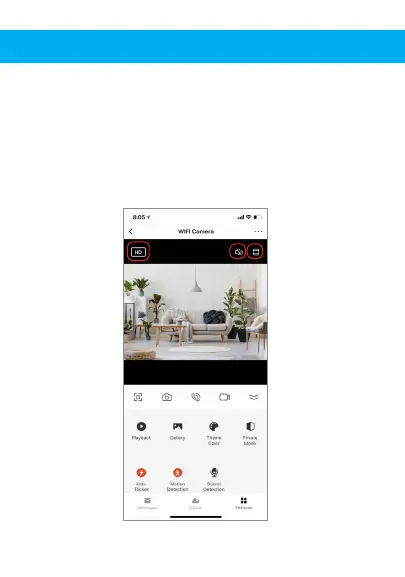
Hub controls (sound, video quality, zoom in/out)
You can control features from the live video feed. There is a
volume button that is used to mute and unmute the live
feed. There is also a button for the video quality and it can
be used to switch between standard and high definition
resolution. In the top right there is also a button that can be
used for zooming in or out on the footage.


 To Next Page