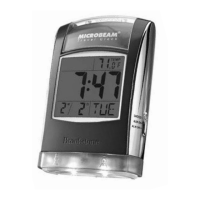
VIewIng the temperature
Slide MODE LOCK ON/OFF to the “On” position and press MODE until
the Temperature screen displays. The red LED backlight illuminates for
approximately four seconds.
selectIng celsIus (°c) or FahrenheIt (°F) For temperature
While in the Temperature screen, press or to toggle between °C and °F.
changIng the modes on the dIsplay
There are two ways to change between modes:
• Slide MODE LOCK ON/OFF to the “On” position and press MODE until
the desired mode displays.
• Slide MODE LOCK ON/OFF to the “Off” position and push the clock
repeatedly until the desired mode displays.
Note: It takes approximately one second for the sensor to reset
between modes.
locKIng the modes
To lock the modes so they cannot be changed accidentally,
slide MODE LOCK ON/OFF to the “On” position.
resettIng the clocK
Reset the clock if you want to clear all clock functions.
To reset the clock, insert a thin pointed object into RESET.
14 15


 To Next Page