EasyManua.ls Logo

Brookstone “Bob” - User Manual

Brookstone “Bob”
10 pages
Print Icon
To Next Page IconTo Next Page
Loading...
“Bob
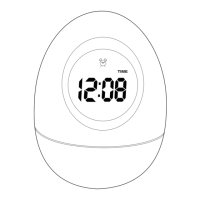
5-in-1 wobble clock

Other manuals for Brookstone “Bob”

Question and Answer IconNeed help?

Do you have a question about the Brookstone “Bob” and is the answer not in the manual?

Summary

Product Overview

Key Features

Details the 5-in-1 functionality including time, date, temperature, and alarm.

Safety and Precautions

Battery Precautions

Essential safety guidelines for handling and disposing of batteries.

Clock Precautions

Important advice for optimal performance and avoiding interference.

Important Warnings

Cautionary Statements

Warnings against water immersion, physical shock, and tampering with components.

Location of Controls

Clock Operation

Inserting the Batteries

Step-by-step guide on how to properly install batteries into the clock.

Setting the Time

Instructions for configuring the clock's current hour and minute.

Selecting 12- or 24-Hour Mode

How to switch between 12-hour and 24-hour time display formats.

Setting the Date

Guide to setting the year, month, day, and day of the week.

Setting the Alarm Time

Instructions for configuring the alarm's wake-up time.

Using the Alarm

How to silence the alarm and its auto-shutoff feature.

Using the Snooze Alarm

How to activate the snooze function for the alarm.

Using the Timer

Temperature Features

Viewing the Temperature

How to access and view the current temperature reading.

Selecting Temperature Units

How to switch temperature display between Celsius and Fahrenheit.

Mode Management

Changing Display Modes

Methods to cycle through different display modes on the clock.

Locking the Modes

How to prevent accidental changes to the clock modes.

Resetting the Clock

Care and Maintenance

Summary

Product Overview

Key Features

Details the 5-in-1 functionality including time, date, temperature, and alarm.

Safety and Precautions

Battery Precautions

Essential safety guidelines for handling and disposing of batteries.

Clock Precautions

Important advice for optimal performance and avoiding interference.

Important Warnings

Cautionary Statements

Warnings against water immersion, physical shock, and tampering with components.

Location of Controls

Clock Operation

Inserting the Batteries

Step-by-step guide on how to properly install batteries into the clock.

Setting the Time

Instructions for configuring the clock's current hour and minute.

Selecting 12- or 24-Hour Mode

How to switch between 12-hour and 24-hour time display formats.

Setting the Date

Guide to setting the year, month, day, and day of the week.

Setting the Alarm Time

Instructions for configuring the alarm's wake-up time.

Using the Alarm

How to silence the alarm and its auto-shutoff feature.

Using the Snooze Alarm

How to activate the snooze function for the alarm.

Using the Timer

Temperature Features

Viewing the Temperature

How to access and view the current temperature reading.

Selecting Temperature Units

How to switch temperature display between Celsius and Fahrenheit.

Mode Management

Changing Display Modes

Methods to cycle through different display modes on the clock.

Locking the Modes

How to prevent accidental changes to the clock modes.

Resetting the Clock

Care and Maintenance

Brookstone “Bob” Specifications

General IconGeneral
BrandBrookstone
Model“Bob”
CategoryClock
LanguageEnglish

Related product manuals