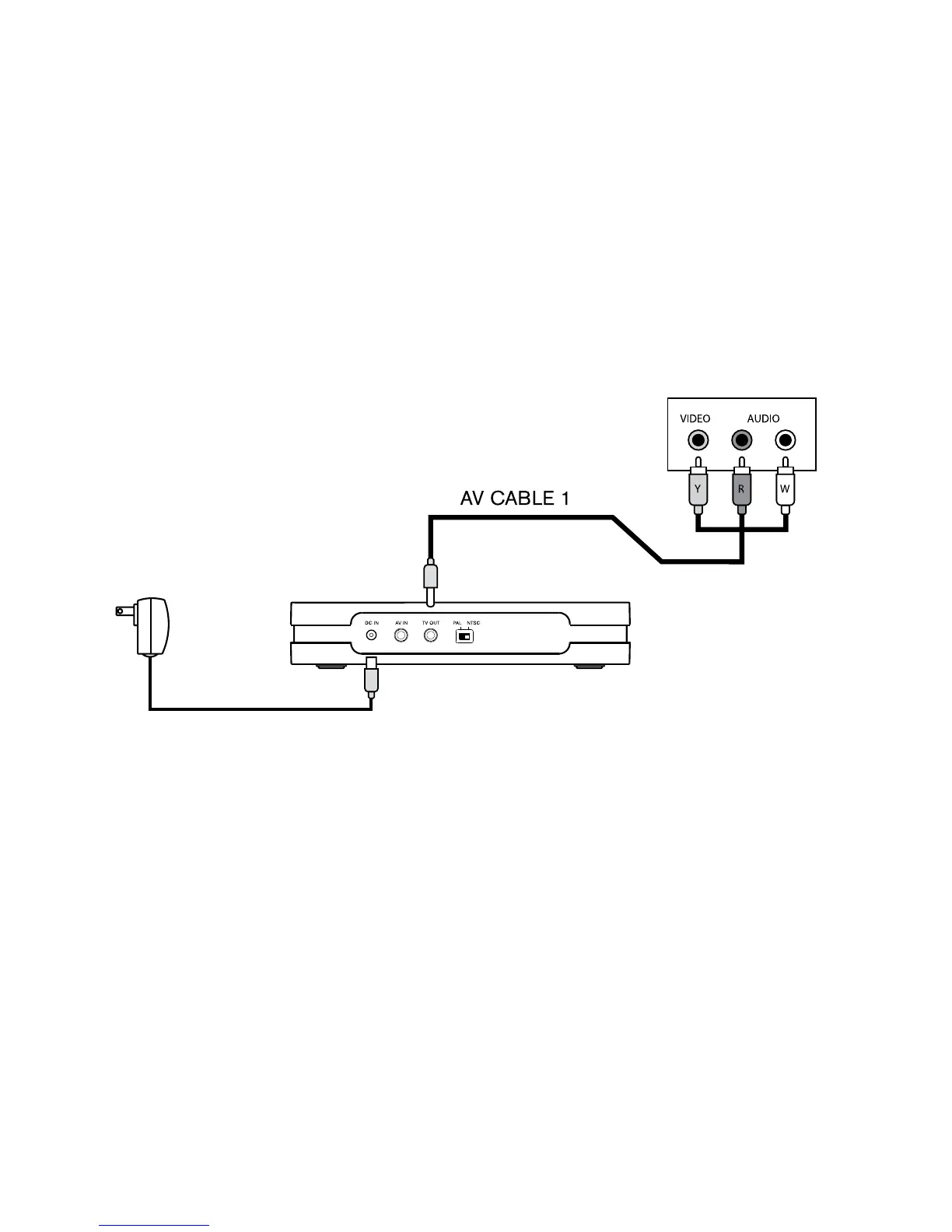
VIEW SAVED PROGRAMS
Connect the Video Converter to the TV by plugging in the AV CABLE 1 into
the output jack on the backside of the converter.
Plug the colored prongs from the AV CABLE 1 into the input section on the TV.
Notes:
Do not insert or remove the SD or SDHC cards while recording or playing
a video.
When using high-memory SD or SDHC cards, a lag time will occur when
saving or viewing files.
The recording file will not be saved if power cuts out during operation.
Beware of the unit overheating if operating continually.
DO NOT plug both TV INPUT and OUTPUT together from one TV set.
1.
2.
•
•
•
•
•
POWER
ADAPTOR
12



 To Next Page