seTTInG The DaY, MonTh anD YeaR
MANUAL FUNCTION ONLY
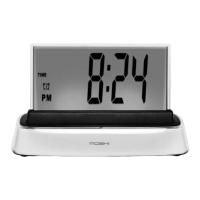
Press MODE until the date is visible on the CLOCK SCREEN.
Press SET, and Moshi will tell you the date for which the clock is currently set.
Moshi will stop on the year, which will flash. Press the + or — buttons
to reach the current year.
Press SET button to save your choice and Moshi will go to the month,
which will flash.
Press + or — buttons to reach the current month.
Press SET to save, and Moshi will go to the day, which will flash.
Press the + or — buttons to reach the current day.
Press SET to save.
Note: You may also manually set the time and alarm by following the
steps above.
askInG foR The TIMe
After you activate Moshi:
Say "time."
Moshi will respond by telling you the correct time.
1.
2.
3.
4.
5.
6.
7.
8.
1.
2.
13


 To Next Page