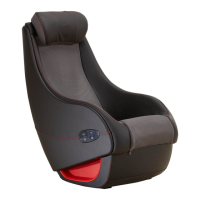
If you encounter problems with operating the Brookstone Renew
TM
Massage Chair,
please check the following points to see if they can be rectified. If the Brookstone
Renew
TM
Massage Chair still malfunctions or does not work, please switch off the
Main Switch of the Brookstone Renew
TM
Massage Chair and remove the power plug
from the electrical outlet. Contact Brookstone Customer Service at 866-336-3199
for servicing.
Do not dismantle or attempt to repair the Brookstone Renew
TM
Massage Chair
yourself. Doing so will void the warranty and Brookstone will not bear any
responsibility for any subsequent consequences.
Troubleshooting
• Friction noise of rollers against
seat cover
• Motor sound during operation
• Loud sound during Tapping and
Kneading programs
• These sounds are the result of mechanical structure and
not a malfunction.
• This may occur during normal usage.
• The Brookstone Renew
TM
Massage Chair is not working
even though the power supply
is connected.
• Check whether the plug is properly inserted into the outlet
and that the plug is in good condition.
• During operation, both the
controller and the massage
chair are not working.
• The Auto Timer may have lapsed. Press any program button
to restart the massage.
• The Power button was pressed accidentally.
• If the Brookstone Renew
TM
Massage Chair stops and fails to
restart as a result of overheating, turn off the main power
switch and do not operate the Brookstone Renew
TM
Massage
Chair for 30 to 50 minutes.
• The Brookstone Renew
TM
Massage Chair could be overheated
after prolonged use. Chair will automatically cool down to
resume its normal operation. Please turn off the power and
allow the chair to cool for 30 to 50 minutes.
• Operation stopped and the
massage rollers moved to their
original position.
• The image on the LCD screen
goes away during the massage.
• Display screen goes to “Sleep” after 3 minutes to prevent
screen burnout.
• Press any button and the screen will awaken.
• Button requires 2 presses to
activate
• The remote is in idle mode. The 1st press awakens the
remote , the 2nd will activate the command. This is normal
if idle make in on.
• Remote powers on but nothing
happens
• The remote may need to be rebooted. Turn off chair. Unplug
remote for 2 minutes and plug back in. Turn chair on and
press power button again.
21







 To Next Page