10
INSERTING THE BATTERIES
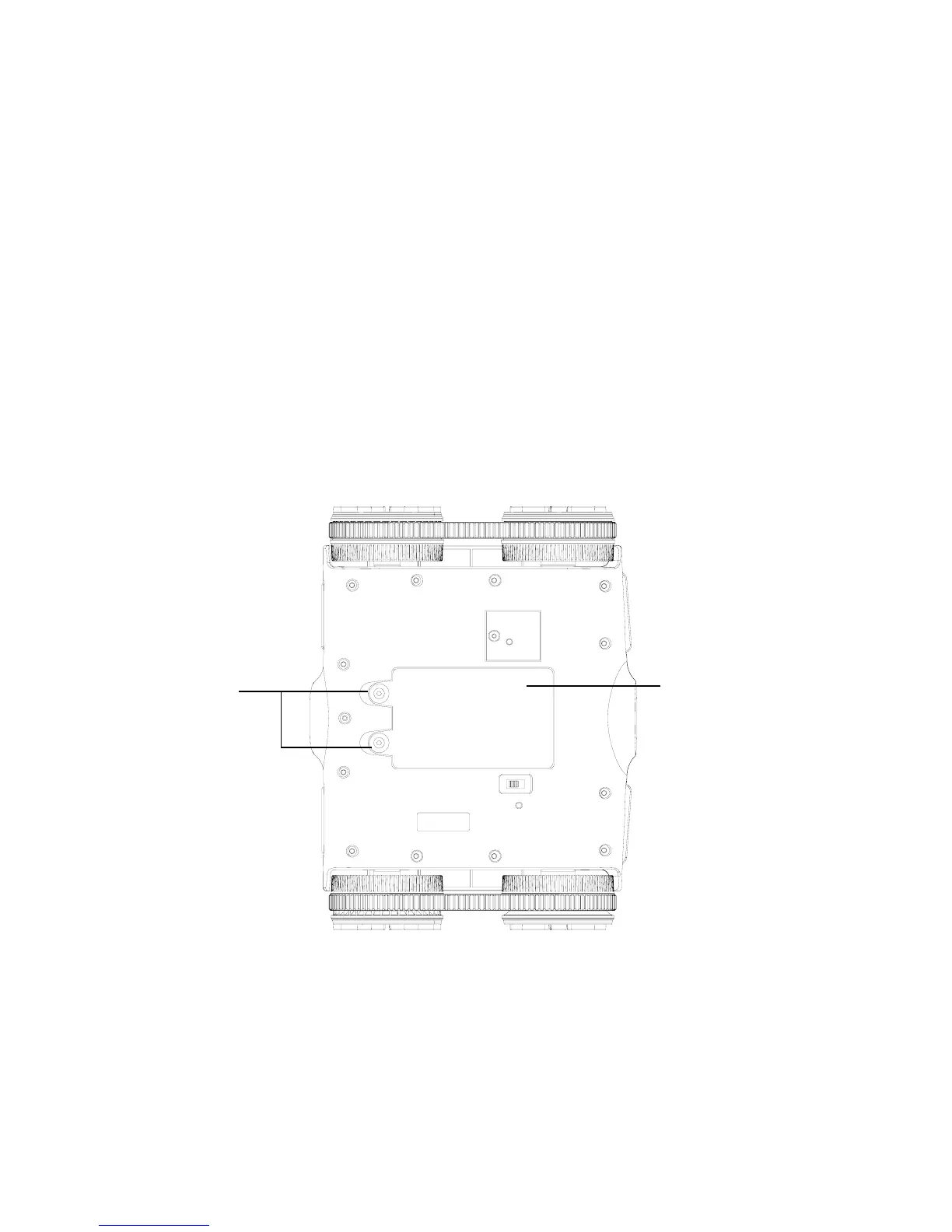
1. Remove the BATTERY COMPARTMENT COVER by unscrewing the two
ACCESS SCREWS on the cover with a small screwdriver.
2. Remove the cover and insert 6 AA batteries (included) according to the polarity
indicators inside the compartment.
3. Replace the BATTERY COMPARTMENT COVER and tighten the two screws
to secure.
Access
Screws
Battery
Compartment
Cover
792593_INS1211_Rover 2.0_Size:5”Wx4.75”H_Output:100%_Prints:1/1,Blk


 To Next Page