10
TABLE OF
CONTENTS
Chapter
1
Chapter
2
Chapter
3
Chapter
4
Chapter
5
Chapter
6
Chapter
7
Chapter
8
Chapter
9
Chapter
10
Chapter
11
Chapter
12
Chapter
13
Chapter
14
Chapter
15
Chapter
16
Chapter
17
Chapter
18
Chapter
19
3–5 3–5 3–5 3–5
INF INF
3–5 4–6 3–5
NOT RECOMMENDED
NOT RECOMMENDED
3–5 3–5 3–5 3–5
4–6 4–6 5–7
4–6 4–6 4–6
3–5 6–8 4–6
3–5 3–5 3–5 3–5
3–5 4–6 3–5
0–2
3–5 3–5 3–5 3–5
4–6 4–6 5–7
4–6 4–6 4–6
4–6 6–8 4–6
5–7 2–4
0–3
2–5 6–9
4–6 4–6 3–5 3–5
4–6 4–6 3–5
4–6 4–6 3–5 3–5
NOT RECOMMENDED
NOT RECOMMENDED
0–3
5–7 2–4
0–3
2–5 6–9
NOT RECOMMENDED
SELECT
INF
3–5 3–5 3–5 3–5
6
5
4
3
2
6
5
4
3
2
6
5
4
3
2
6
5
4
3
2
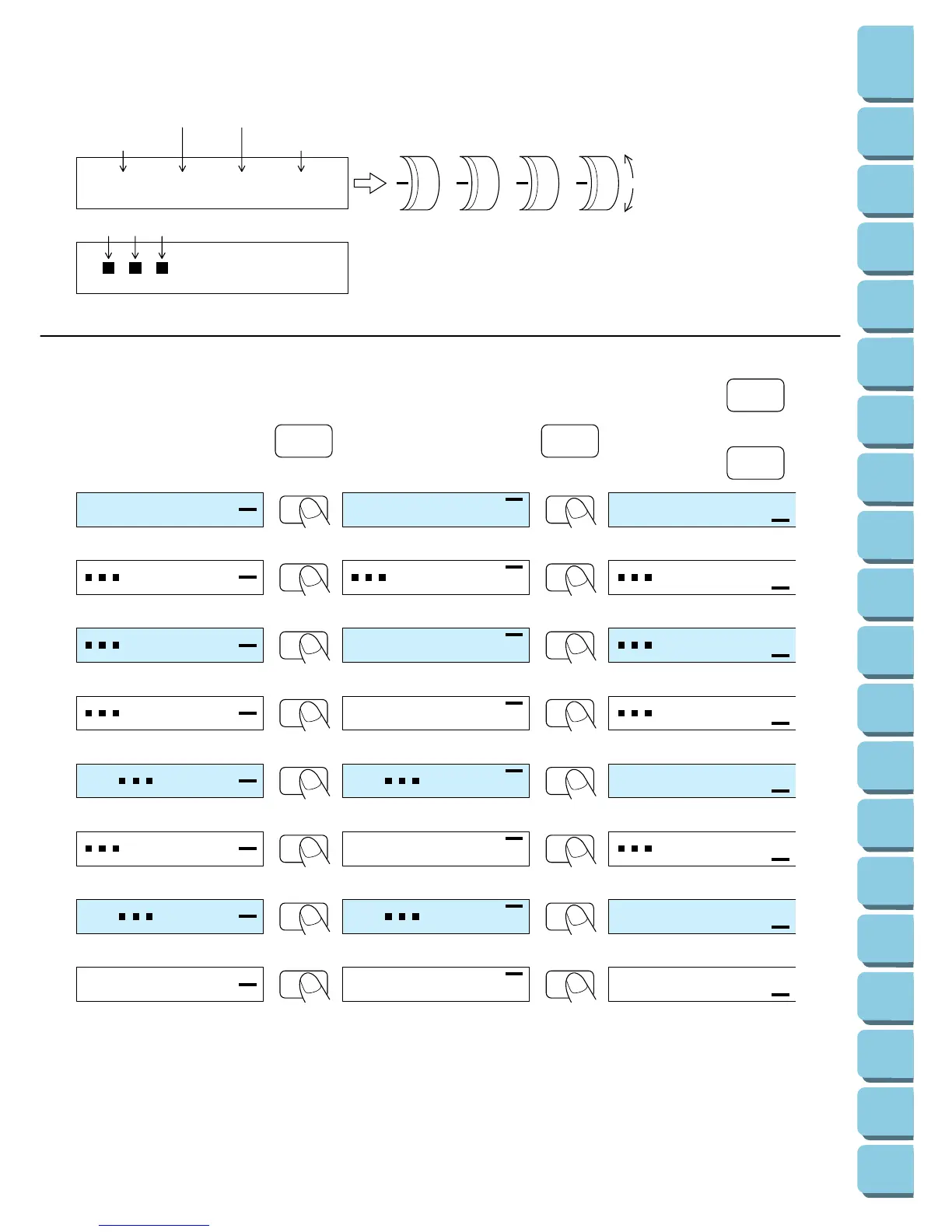
The numbers indicate the thread tension dial settings.
Upperlooper thread
Upper left thread Lowerlooper thread
Upper right thread
The black squares indicate that it is not necessary to adjust this thread tension dial.
Stronger tension
Weaker tension
The thread tension dial
settings for sewing on normal
fabrics are displayed.
The thread tension dial
settings for sewing on thick
fabrics are displayed.
The thread tension dial settings for sewing
on thin fabrics are displayed.
3
If this key is pressed one more time, the stitch
applications and instructions are displa


 To Next Page