EasyManua.ls Logo

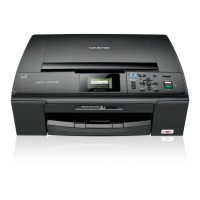
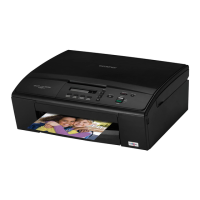
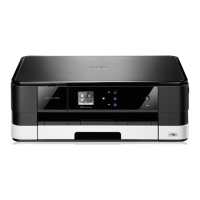
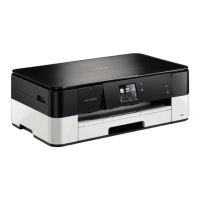
Brother DCP-J315W - User Manual

Brother DCP-J315W
146 pages
Print Icon
To Next Page IconTo Next Page
Loading...
®
Users Guide
Users Guide
PANTONE2728
Advanced User’s Guide
Safety and Legal
Basic User’s Guide

Table of Contents

Other manuals for Brother DCP-J315W

Questions and Answers

  • C
    carlramosSep 7, 2025
    What does 'Unusable Device Please Disconnect USB Device' mean on my Brother DCP-J315W All in One Printer?
    • Y
      youngwilliamSep 7, 2025
      If your Brother All in One Printer displays 'Unusable Device Please Disconnect USB Device', it means a USB device or USB Flash memory drive that is not supported has been connected to the USB direct interface. Unplug the device from the USB direct interface.
  • M
    Mary RobinsonAug 25, 2025
    Why my Brother DCP-J315W cannot print and asks to replace ink?
    • L
      Lauren AndersonAug 25, 2025
      If your Brother All in One Printer displays a 'Cannot Print Replace Ink' message, it means one or more of the ink cartridges have reached the end of their life. Replace the ink cartridges to resolve this issue.
  • O
    olivia48Aug 25, 2025
    Why does my Brother DCP-J315W only print in B&W and says to replace ink?
    • J
      Joshua YoungAug 26, 2025
      If your Brother All in One Printer only prints in black and white and prompts you to replace the ink, it means one or more of the color ink cartridges have reached the end of their life. Replace the ink cartridges.
  • N
    nelsonzacharySep 17, 2025
    How to fix 'No Ink Cartridge' error on Brother All in One Printer?
    • H
      Helen BurnsSep 17, 2025
      If your Brother All in One Printer says 'No Ink Cartridge', it means an ink cartridge is not installed correctly. Take out the ink cartridge and put it in again seating it properly.
  • M
    Mary PhillipsSep 23, 2025
    How to fix 'Cannot Detect' error on my Brother All in One Printer?
    • L
      Lisa SmithSep 23, 2025
      If your Brother All in One Printer displays 'Cannot Detect' a new ink cartridge, here are a few things to try: * If you installed the cartridge too quickly, remove it and reinstall it slowly. * If you are using non-Brother original ink, replace it with a Brother Original ink cartridge. If the error persists, contact your Brother dealer. * Ensure the ink cartridge is installed correctly by removing it and reinstalling it slowly until it clicks into place.
  • M
    Marilyn ParkerSep 12, 2025
    What does 'Not Registered' mean on my Brother DCP-J315W?
    • E
      Elizabeth JohnsonSep 12, 2025
      If your Brother All in One Printer displays 'Not Registered', it means you tried to access a Speed Dial number that is not programmed. Set up the Speed Dial number.
  • S
    Sandra RogersSep 3, 2025
    Why does my Brother DCP-J315W say 'No Ink Cartridge'?
    • Z
      Zachary JenningsSep 3, 2025
      If your Brother All in One Printer displays 'No Ink Cartridge', it means an ink cartridge is not installed correctly. Take out the new ink cartridge and re-install it slowly until it clicks.
  • M
    Madeline KingSep 3, 2025
    What does 'Unable to Clean', 'Unable to Init', 'Unable to Print', or 'Unable to Scan' mean on my Brother DCP-J315W?
    • X
      xrichardsonSep 3, 2025
      If your Brother All in One Printer displays 'Unable to Clean', 'Unable to Init', 'Unable to Print', or 'Unable to Scan', it indicates a mechanical problem or a foreign object inside the machine. Open the scanner cover and remove any foreign objects and paper scraps from inside the machine. Then, disconnect the machine from the power for several minutes and reconnect it.
  • P
    Patrick OrrSep 23, 2025
    What does 'Low Temperature' mean on Brother All in One Printer?
    • C
      Caitlyn KelleySep 23, 2025
      If your Brother All in One Printer displays a 'Low Temperature' error, it means the print head is too cold. Allow the machine to warm up.
  • S
    Susan RoseAug 29, 2025
    What to do if Brother DCP-J315W All in One Printer says 'Cover is Open'?
    • R
      Ryan McleanAug 29, 2025
      If your Brother All in One Printer shows a 'Cover is Open' message, it means either the scanner cover or the ink cartridge cover is not completely closed. Lift the scanner cover and close it again, and firmly close the ink cartridge cover until it clicks.

Brother DCP-J315W Specifications

General IconGeneral
Duplex printingNo
Print technologyInkjet
Maximum resolution6000 x 1200 DPI
Economical printingYes
Print speed (black, normal quality, A4/US Letter)33 ppm
Print speed (color, normal quality, A4/US Letter)28 ppm
Scan toE-mail, File, Image
Scanner typeFlatbed scanner
Grayscale levels256
Input color depth36 bit
Output color depth24 bit
Scan speed (black)3.44 ppm
Image formats supportedBMP, JPG, TIF
Maximum scan resolution19200 x 19200 DPI
Optical scanning resolution1200 x 2400 DPI
Copier resize25 - 400 %
Maximum copy resolution1200 x 1200 DPI
Maximum number of copies99 copies
Copy speed (black, normal quality, A4)23 cpm
Copy speed (color, normal quality, A4)20 cpm
Total input capacity100 sheets
Total output capacity50 sheets
Internal memory32 MB
Processor familyRISC
Compatible memory cardsMemory Stick (MS), MS PRO, SD, SDHC
Sound pressure level (printing)50 dB
DisplayLCD
Product colorBlack
Display diagonal1.9 \
Market positioningHome & office
Maximum print size216 x 356 mm
Paper tray media typesGlossy paper, Photo paper, Plain paper, Transparencies
Paper tray media weight64 - 220 g/m²
ISO A-series sizes (A0...A9)A4, A5, A6
ISO B-series sizes (B0...B9)B5
Photo paper sizes (imperial)4x6, 5x7 \
Borderless printing media sizes4x6, 5x7, A4, A6
Maximum ISO A-series paper sizeA4
Security algorithms128-bit WEP, 64-bit WEP, WPA-PSK, WPA2-PSK
Supported network protocols (IPv6)-
Standard interfacesUSB 2.0
USB 2.0 ports quantity1
AC input frequency50 - 60 Hz
Power consumption (standby)3.5 W
Power consumption (PowerSave)0.45 W
Power consumption (average operating)17 W
Dimensions (WxDxH)390 x 368 x 150 mm
All-in-one functionsCopy, Print, Scan
Color all-in-one functionscopy, print, scan
Package weight9.400 g
Sustainability certificatesENERGY STAR
Maximum duty cycle- pages per month
Mac operating systems supportedMac OS X 10.4 Tiger, Mac OS X 10.5 Leopard, Mac OS X 10.6 Snow Leopard
Windows operating systems supportedWindows 2000 Professional, Windows 7 Home Premium, Windows 7 Home Premium x64, Windows 7 Professional, Windows 7 Professional x64, Windows 7 Ultimate, Windows 7 Ultimate x64, Windows Vista Business, Windows Vista Business x64, Windows Vista Home Basic, Windows Vista Home Basic x64, Windows Vista Home Premium, Windows Vista Home Premium x64, Windows Vista Ultimate, Windows Vista Ultimate x64, Windows XP Home, Windows XP Home x64, Windows XP Professional, Windows XP Professional x64
Bundled softwareBrother MFL-Pro Suite\\r Brother ControlCentre 4 (Win)\\r Brother ControlCentre 2 (Mac)
Weight and Dimensions IconWeight and Dimensions
Depth368 mm
Width390 mm
Height150 mm

Videos

How to Reset Purge Counter on Brother DCP-J315W Printer

How to do a Test Print from a Brother DCP-J315W Printer

Related product manuals