Home > Fax > PC-FAX > PC-FAX for Windows > PC-FAX Overview (Windows) > Configure your PC-Fax
Address Book (Windows) > Create a Group in your PC-FAX Address Book (Windows)
Create a Group in your PC-FAX Address Book (Windows)
Related Models: MFC-T910DW
Create a group to broadcast the same PC-FAX to several recipients at one time.
1. Do one of the following:
• Windows 7
Click
(Start) > All Programs > Brother > Brother Utilities.
Click the drop-down list and select your model name (if not already selected). Click PC-FAX in the left
navigation bar, and then click Address Book (Send).
• Windows 8 and Windows 10
Launch (Brother Utilities), and then click the drop-down list and select your model name (if not
already selected). Click PC-FAX in the left navigation bar, and then click Address Book (Send).
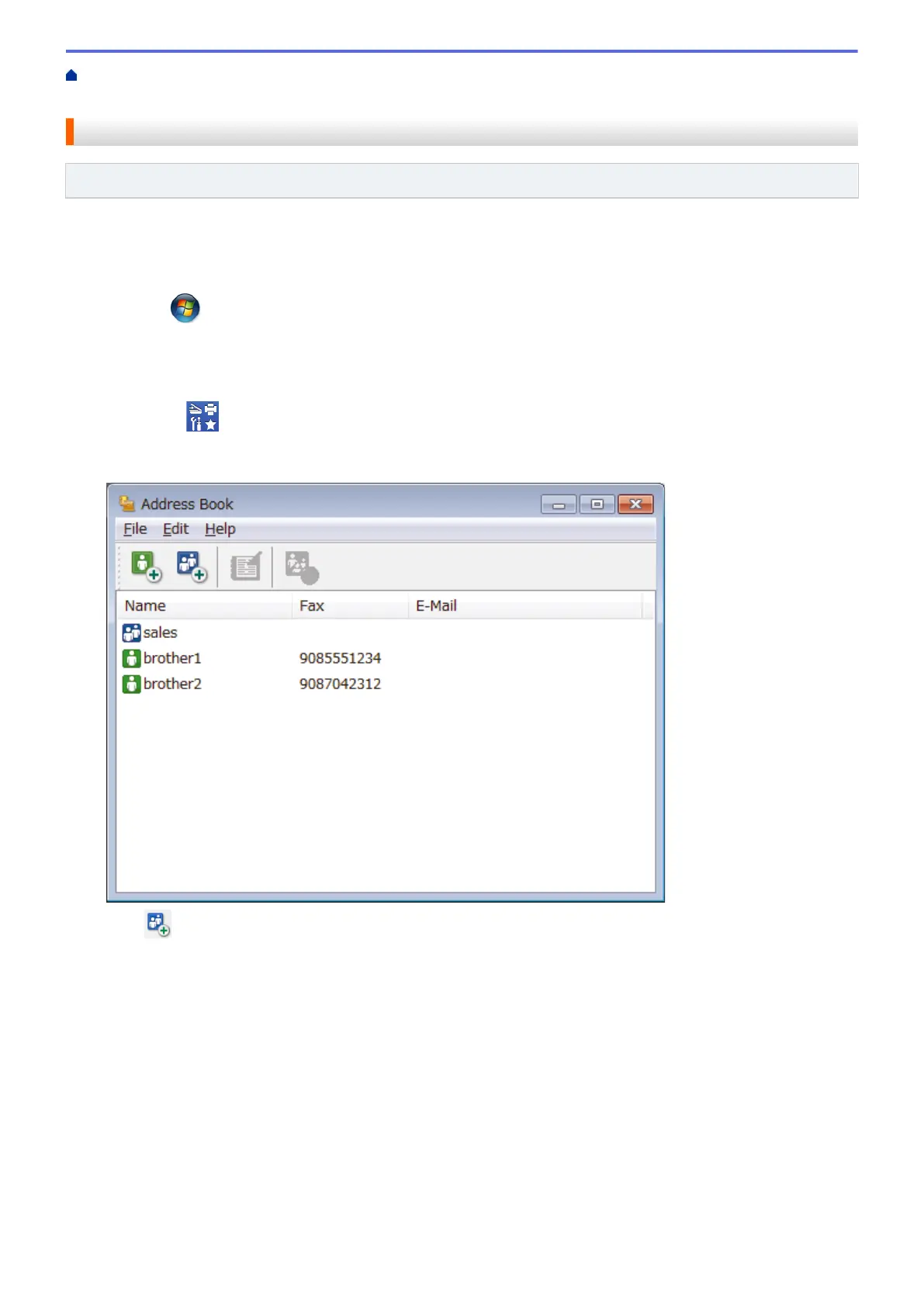
The Address Book dialog box appears.
2. Click .
The Address Book Group Setup dialog box appears.
237









 To Next Page