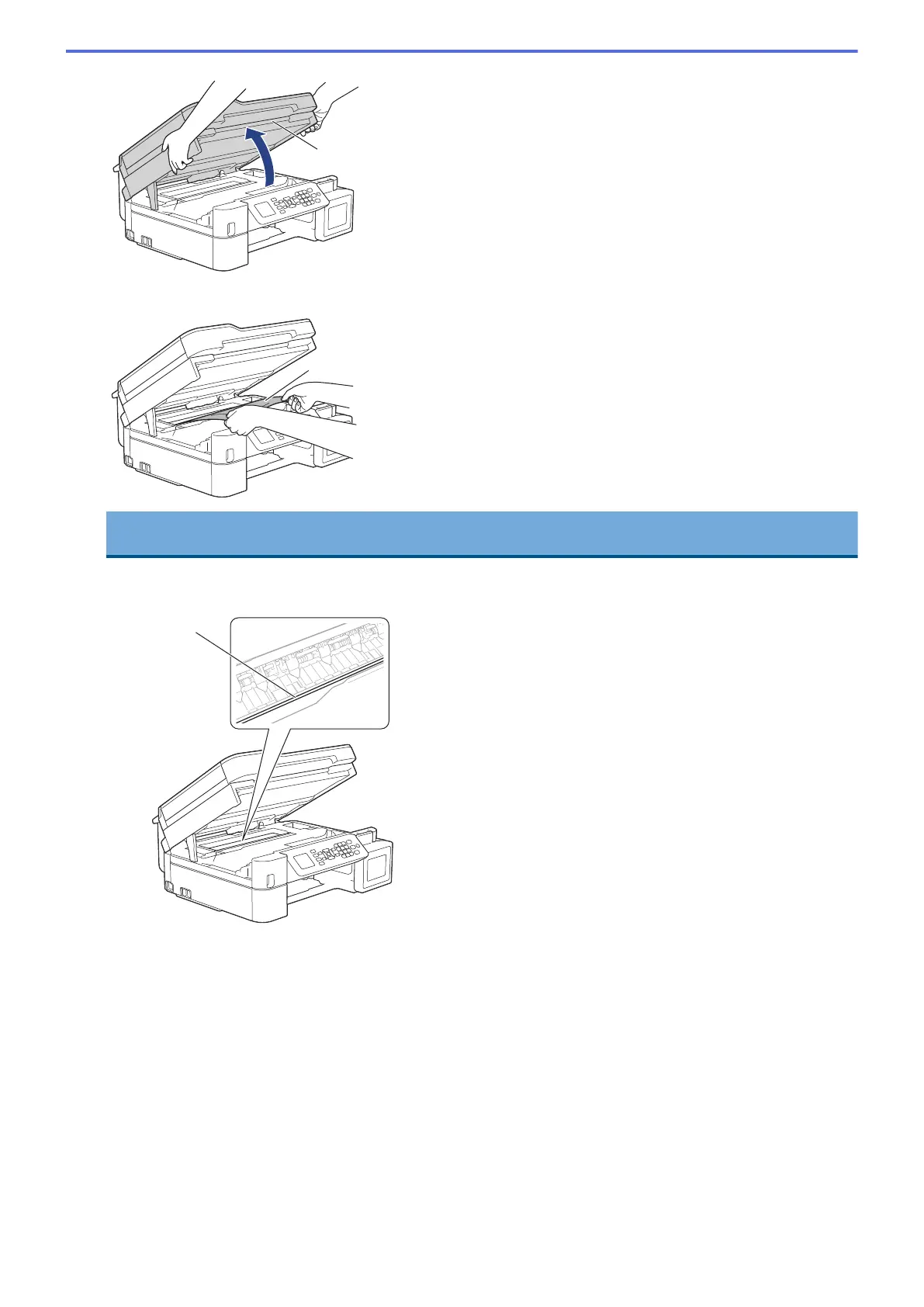
6. Slowly pull the jammed paper (1) out of the machine.
IMPORTANT
• DO NOT touch the encoder strip, a thin strip of plastic that stretches across the width of the machine
(1). Doing this may cause damage to the machine.
• If the print head is in the right corner as shown in the illustration (2), you cannot move it. Follow these
steps:
a. Close the scanner cover, and then reconnect the power cord.
b. Open the scanner cover again, and then hold down the Stop/Exit button until the print head
moves to the centre.
c. Unplug the machine from the power source and remove the jammed paper.
406









 To Next Page