Scanning Applications and Settings
18
5
Paper settings
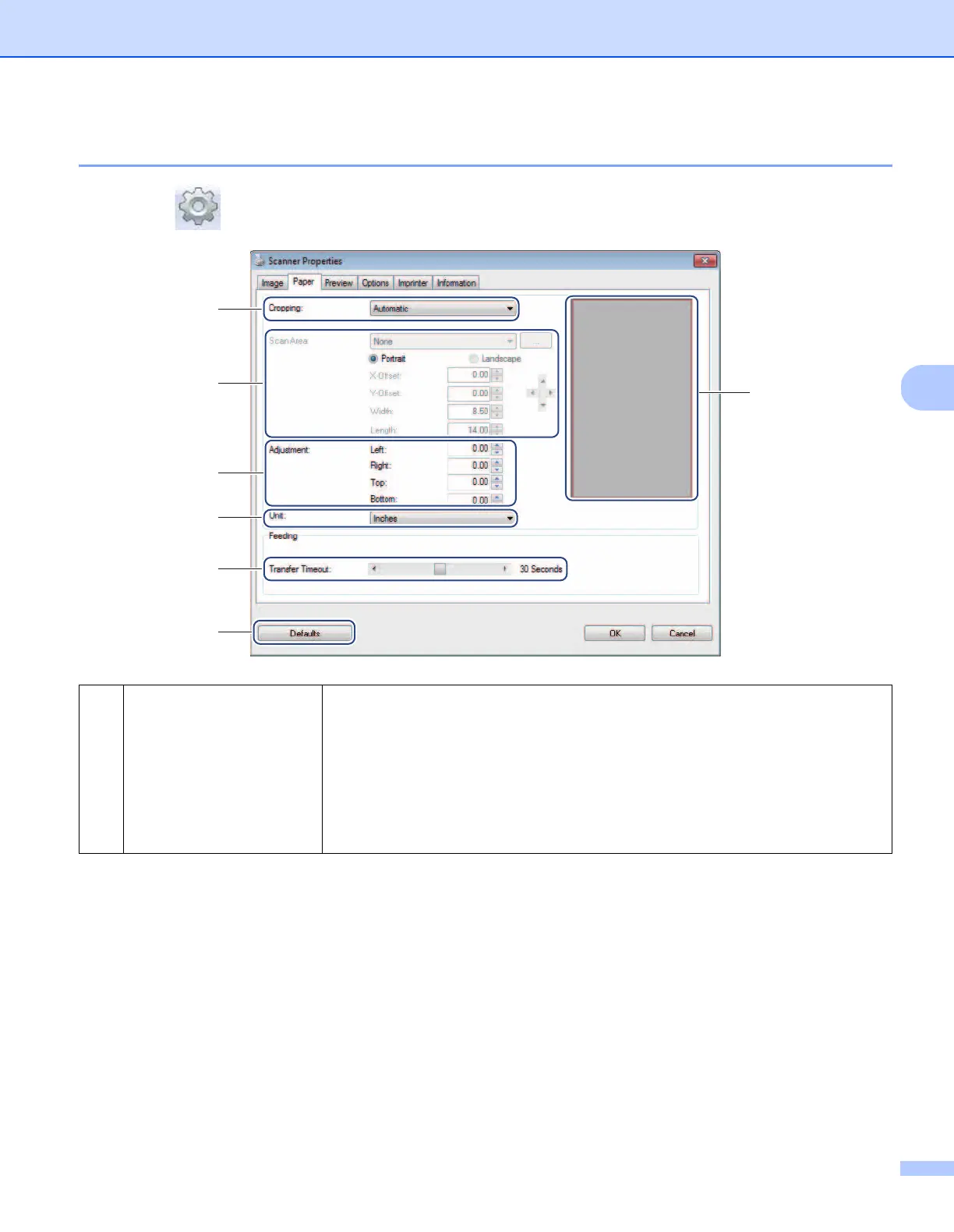
Click Setup , and then click the Paper tab to define values related to image output.
(1) Cropping Cropping allows you to capture a portion of the scanned document.
Automatic
Choose Automatic to allow the software to adjust the cropping window according
to the document size. Use this option for batches of mixed-sized documents.
Fix for Transfer
Choose Fix for Transfer if you want the ability to define the area or zone to be
imaged. Use for batches of same-sized documents.
(1)
(2)
(3)
(5)
(6)
(7)
(4)







 To Next Page