EasyManua.ls Logo

Brother HL-5445 - User Manual

Brother HL-5445
165 pages
Print Icon
To Next Page IconTo Next Page
Loading...
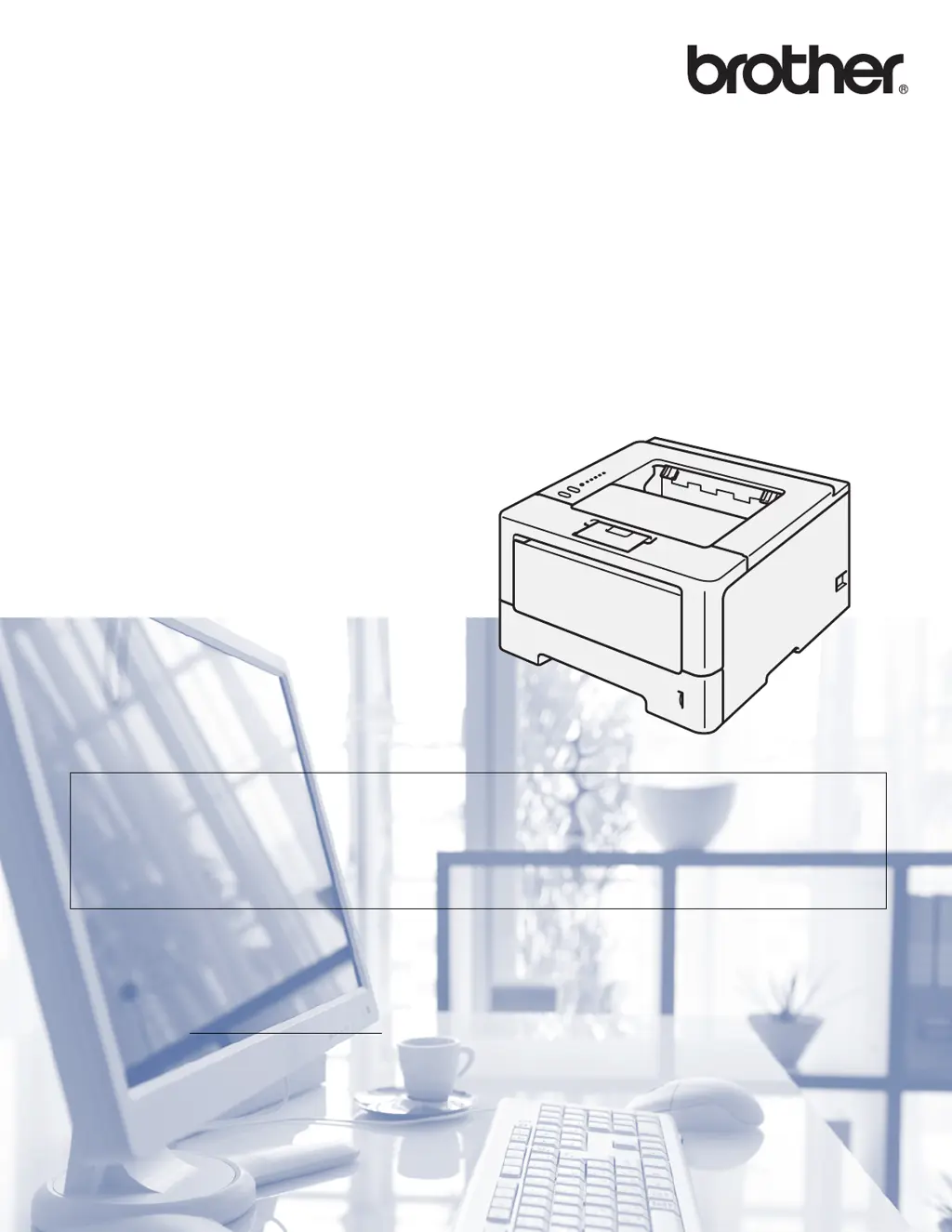
User’s Guide
Brother Laser Printer
HL-5440D
HL-5445D
HL-5450DN
For visually-impaired users
You can read this manual with Screen Reader ‘text-to-speech’ software.
You must set up the hardware and install the driver before you can use the machine.
Please use the Quick Setup Guide to set up the machine. You can find a printed copy in the box.
Please read this User’s Guide thoroughly before you use the machine.
Please visit us at http://solutions.brother.com/
where you can get product support, the latest driver updates and utilities,
and answers to frequently asked questions (FAQs) and technical questions.
Version 0
CHN-ENG

Table of Contents

Other manuals for Brother HL-5445

Questions and Answers

  • B
    Betty ScottAug 20, 2025
    What to do if my Brother HL-5445 Printer says 'Cover is Open'?
    • R
      Roger MurrayAug 20, 2025
      If your Brother printer displays a 'Cover is Open' message, it means that the front cover or the fuser cover is not completely closed, or paper was jammed in the back of the machine when you turned on the power. Close the front cover of the machine. Also, close the fuser cover of the machine. Make sure paper is not jammed inside the back of the machine, and then close the fuser cover and press Go.
  • H
    Heather RobinsonAug 22, 2025
    What to do if Brother HL-5445 says 'Replace Drum'?
    • B
      Brent WilsonAug 22, 2025
      If your Brother printer displays 'Replace Drum', it's time to replace the drum unit. Replace the drum unit. Also, the drum unit counter was not reset when a new drum was installed, reset the drum unit counter.
  • A
    Alexander ReyesAug 25, 2025
    What does 'Out of Memory' mean on my Brother Printer and how can I fix it?
    • S
      Steven TurnerAug 25, 2025
      If your Brother printer displays 'Out of Memory', the machine’s memory is full. Reduce the complexity of your document or reduce the print resolution. Add more memory (HL-5450DN only).
  • M
    Marcia JonesAug 27, 2025
    What does 'Drum End Soon' mean on my Brother Printer?
    • I
      iparkerAug 27, 2025
      If your Brother printer displays 'Drum End Soon', the drum unit is near the end of its life. Order a new drum unit now so a replacement drum unit will be available when the Status Monitor indicates Replace Drum.
  • B
    Brian HernandezAug 28, 2025
    What does 'Replace Toner' mean on my Brother HL-5445 Printer?
    • Q
      qkochAug 28, 2025
      If your Brother printer displays 'Replace Toner', the toner cartridge is at the end of its life, and the machine will stop all print operations. Replace the toner cartridge.
  • K
    Krystal JohnstonAug 29, 2025
    How to fix 'No Paper' error on Brother HL-5445?
    • E
      efrazierAug 30, 2025
      If your Brother printer displays a 'No Paper' error, it means the printer is out of paper or the paper is not correctly loaded in the specified paper tray. Put paper in the tray you are using and ensure the paper guides are set to the correct size.
  • M
    Molly RowlandAug 31, 2025
    How to resolve a 'Cartridge Error' on a Brother HL-5445 Printer?
    • J
      Jorge KellyAug 31, 2025
      A 'Cartridge Error' on your Brother printer indicates that the toner cartridge is not installed correctly. To solve this, pull out the drum unit and toner cartridge assembly, take out the toner cartridge, and put it back into the drum unit again. Put the drum unit and toner cartridge assembly back in the machine. If the problem continues, call your dealer or Brother Customer Service.
  • I
    Isaiah PetersenSep 2, 2025
    How to fix 'Duplex Disabled' error on Brother Printer?
    • J
      joshuacoleSep 3, 2025
      If your Brother printer shows 'Duplex Disabled', the back cover of the machine is not closed completely, or the duplex tray is not installed correctly. Close the back cover of the machine or re-install the duplex tray.
  • C
    Christopher Jackson PhDSep 4, 2025
    What causes 'Fuser Error' on Brother HL-5445 Printer and how to fix it?
    • K
      Kimberly BlankenshipSep 4, 2025
      A 'Fuser Error' on your Brother printer could mean the temperature of the fuser unit does not rise to a specified temperature within the specified time, or the fuser unit is too hot. Turn the power switch off, wait a few seconds, and then turn it on again. Leave the machine for 15 minutes with the power on.
  • A
    Antonio BurkeSep 6, 2025
    What to do if my Brother HL-5445 Printer displays 'Print Unable'?
    • N
      Norman BeckerSep 6, 2025
      If your Brother printer displays 'Print Unable', the machine has a mechanical problem. Turn the power switch off, wait a few minutes, and then turn it on again. If the problem continues, call your dealer or Brother Customer Service.

Brother HL-5445 Specifications

General IconGeneral
Print ResolutionUp to 1200 x 1200 dpi
Processor400 MHz
Printer TypeLaser
ConnectivityUSB 2.0
Duplex PrintingStandard
Supported Operating SystemsWindows, Mac, Linux

Related product manuals