UTILITY STITCHES ——————————————————————————————————————————————————————
38
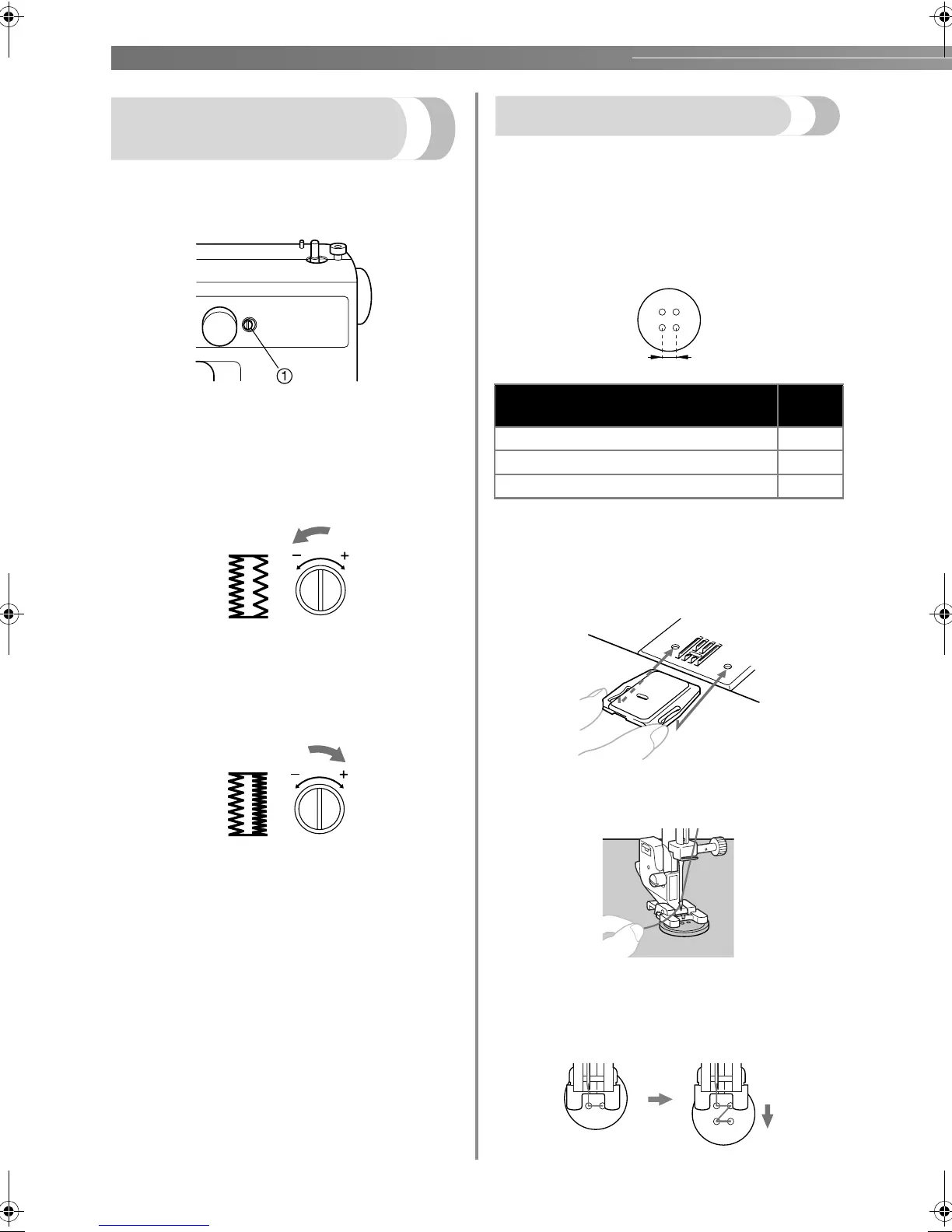
Adjusting buitching
stitching
If the stitching on the two sides of the buttonhole is
not uniform, the stitching can adjusted with the
buttonhole fine-adjusting screw.
a Buttonhole fine-adjusting screw
■ If the right side is too loose compared to the
left side
Use the enclosed large screwdriver to turn
the buttonhole fine-adjusting screw in the -
direction.
■ If the right side is too tight compared to the
left side
Use the enclosed large screwdriver to turn
the buttonhole fine-adjusting screw in the +
direction.
Button sewing
Buttons can be sewn on with the sewing machine.
Buttons with 2 or with 4 holes can be attached.
a
Measure the distance between the holes in the
button to be attached, and then select the
appropriate zigzag stitch (2, 3 or 4) according
to the following table.
b
Attach the button sewing foot “M”.
c
Place the darning plate on the needle plate as
shown below.
d
Place a button between the presser foot and
the fabric.
• When attaching four-hole buttons, first sew
the two holes closest to you. Then, slide the
button so that the needle goes into the two
holes toward the rear of the sewing machine,
and then sew them in the same way.
Distance between holes
Number
of dial
1.6 mm (1/16 inches) 2
3.2 mm (1/8 inches) 3
4.8 mm (3/16 inches) 4
LS2125.book Page 38 Tuesday, February 26, 2008 1:43 PM









 To Next Page