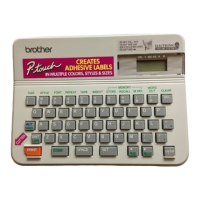
Keyboard
DECO MODE key
Preview key
Print key
Character key
Num Lock key
Shift key
Symbol key
Caps key
Cursor key
Function key
Cursor key
Power key
Backspace key
Enter key
Shift key
Accent key
Space key
Initial Settings
1
Turn your machine on.
Supply power using four AAA batteries (LR03) or
the optional AC adapter, and then press
to turn
the power on.
2 Set the language.
The default setting is [English].
[Language]
[English/Español/Français/Italiano/
Nederlands/Norsk/Português/Svenska/
Türkçe/Dansk/Deutsch]
at the same time.
3 Set the unit of measurement.
The default setting is [mm].
[Unit]
[mm/inch]
127(
pressed within five minutes.
see Resetting the machine.
LCD
127(
Width
Bold
Cursor
Num Lock
Caps
Label Length
Frame
Underline
Italic
Vertical
Outline
Shadow
Size












 To Next Page