EasyManua.ls Logo

Brother P-Touch PT-1750 - User Manual

Brother P-Touch PT-1750
71 pages
Print Icon
To Next Page IconTo Next Page
Loading...
User’s Guide
• Read this User’s Guide before you start using your P-touch.
• Keep this User’s Guide in a handy place for future reference.
1750

Questions and Answers

  • C
    christopherskinnerJul 26, 2025
    What to do if the Brother P-Touch PT-1750 display stays blank?
    • M
      Marcus JonesJul 26, 2025
      If the display remains blank after turning on your Brother Label Maker, ensure the AC adapter is correctly connected. If using batteries, verify they are properly inserted and replace them if they are low.
  • J
    Joseph PatelJul 31, 2025
    Why is my Brother P-Touch PT-1750 not printing clearly?
    • C
      christopherjonesJul 31, 2025
      If your Brother Label Maker is not printing or the printed characters are blurred, check that the tape cassette has been inserted properly. If the tape cassette is empty, replace it. Also, make sure the tape compartment cover is closed.
  • J
    Joyce HarperAug 4, 2025
    How to fix a blank line on Brother Label Maker labels?
    • A
      Alexander CummingsAug 5, 2025
      If a blank horizontal line appears through the printed label on your Brother Label Maker, clean the print head.
  • H
    hhessAug 10, 2025
    What causes striped tape on a Brother Label Maker?
    • B
      bobby09Aug 10, 2025
      Striped tape on your Brother Label Maker indicates that you have reached the end of the tape. Replace the tape cassette with a new one.
  • A
    Anna CampbellAug 15, 2025
    How to unlock a Brother Label Maker when it's locked up?
    • J
      Justin GomezAug 15, 2025
      If your Brother Label Maker has locked up, turn it off. Then, hold down the f and R keys, and while holding them, press the b key to turn the machine back on. Finally, release the f and R keys.
  • J
    james47Aug 19, 2025
    Why did my Brother P-Touch PT-1750 lose the stored text files?
    • J
      jennifer26Aug 20, 2025
      If the text files stored in your Brother Label Maker's memory are no longer there, it may be due to low batteries. Replace the batteries with new ones.

Summary

Introduction

General Description

Top View

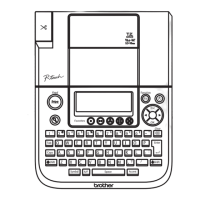
Diagram and labels of the top view of the P-touch 1750.

Bottom View

Diagram and labels of the bottom view of the P-touch 1750.

General Precautions

Batteries

Optional AC Adapter

Tape Cassette

Attaching Labels

Stick

Using the included stick to peel backing from laminated tape for application.

Laminated Tape

Fabric Tape

Print Head & Rollers

Power Key

Cursor Keys

Left Cursor Key

Instructions for moving the cursor left using the left cursor key.

Right Cursor Key

Code & Shift Keys

Code Key

How to use the Code key to access functions printed above keys.

Shift Key

How to use the Shift key for capital letters and symbols.

Space Key

Return Key

BS Key

Clear Function

Accent Function

Symbol Function

Size Function

Style Function

Underline Function

Frame Function

Big Size Function

Tape Margin Function

Mirror Printing Function

Print Key & Feed Function

Numbering Function

Repeat Printing Function

Memory Functions

Storing Text

Instructions for saving text files into the machine's memory.

Recalling Text

How to retrieve previously stored text files from memory.

Deleting a File

Troubleshooting

Error Message List

Specifications

Accessories

P-Touch Accessory Order Form

Brother Contact Information

Service Center Locations

Information on finding authorized service centers for the P-touch.

Operational Assistance

How to get technical and operational support from Brother.

Assistance on the Internet

Resources for product info and downloads on the Brother website.

Brother P-Touch PT-1750 Specifications

General IconGeneral
ModelPT-1750
TypeLabel Maker
DisplayLCD
Print Resolution180 dpi
KeyboardQWERTY
Power Source6 AA batteries or AC adapter
ConnectivityNo
Fonts5
Multi-Block PrintingYes
Auto NumberingYes
Mirror PrintingYes
Vertical PrintingYes
Tape Width9 mm, 12 mm
Print Speed10 mm/s
StylesBold, Italic

Related product manuals