25
PRINT KEY & FEED FUNCTION
After you have entered your text and chosen the desired format settings, you are ready to
print.
To print a label:
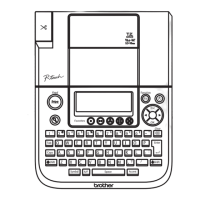
● Press a once. The message “PRINTING” is displayed.
To feed the tape:
● Hold down f and press g once. 1” (25 mm) of tape is fed out.
To cut the tape:
● Push down on the tape cutter lever.
☞
In order to prevent damaging the tape, do not try to cut it while printing or feed-
ing. Pushing down on the tape cutter lever too far may break it.
EXAMPLE
This function can be used to print many copies of the same text while increasing a certain
number in the text by 1 after each label is printed.
To use the Numbering function:
1 Press < or > to position the cursor below the number that you wish to increase.
2 Hold down f and press A. The message “NUMBER:1–9?” appears in the display.
3 Press the number key ( 1 to 9 ) of the last number that is to be printed.
☞
To cancel the Numbering, hold down
f
and press
A
(or press just
c
).
4 Press a (or h) to begin printing the labels.
To make a label using the NONE tape margin setting:
1 Press a once.
2 Hold down f and press g once.
3 Push down on the tape cutter lever.
PRINTING
NUMBERING FUNCTION



 To Next Page
 Loading...