
 Need help?
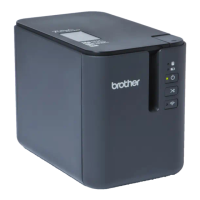
Do you have a question about the Brother PT-P910BT and is the answer not in the manual?
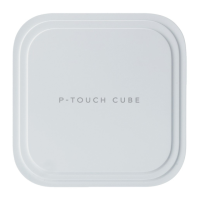
Detailed description of the label printer's physical components.
Step-by-step instructions for installing the battery.
Guide on how to fully charge the rechargeable battery.
Instructions for correctly inserting the tape cassette.
Procedure for turning the label printer on and off.
Guide to installing necessary software and drivers on a computer.
Detailed steps for connecting via USB cable.
Guide to creating labels using P-touch Editor on Windows.
Overview of the P-touch Editor Express Mode window.
Overview of the P-touch Editor Professional Mode window.
Overview of the P-touch Editor Snap Mode window.
Steps to print labels using P-touch Editor on Windows.
Guide to creating and printing labels using P-touch Editor on Mac.
Overview of the P-touch Editor window for Mac.
Distributing print jobs across multiple printers for efficiency.
Instructions for printing labels via the printer driver.
How to edit saved templates using P-touch Library.
How to print templates from P-touch Library.
How to search for templates within P-touch Library.
Information on installing Brother mobile applications for label printing.
Steps to create and print labels using mobile devices.
Instructions for updating the P-touch Editor software.
Guide to updating the label printer's firmware.
How to configure printer settings via the Windows tool.
Managing communication settings like Bluetooth via the tool.
Configuring device-specific settings like power management.
Applying settings to multiple printers simultaneously.
How to configure printer settings via the Mac tool.
Applying settings to multiple Mac-connected printers.
General procedures for cleaning and maintaining the label printer.
Step-by-step guide on how to replace the rechargeable battery.
General advice for resolving common issues with the printer.
Explains LED status lights and their meanings.
Solutions for common printing issues and errors.
How to check firmware and software versions.
Procedures to reset the printer to factory settings.
Technical specifications of the label printer.
Information about the SDK for developers.
Lists available optional accessories for the printer.
Contact information and support resources.
 General
| Brand | Brother |
|---|---|
| Model | PT-P910BT |
| Category | Label Maker |
| Language | English |





 To Next Page