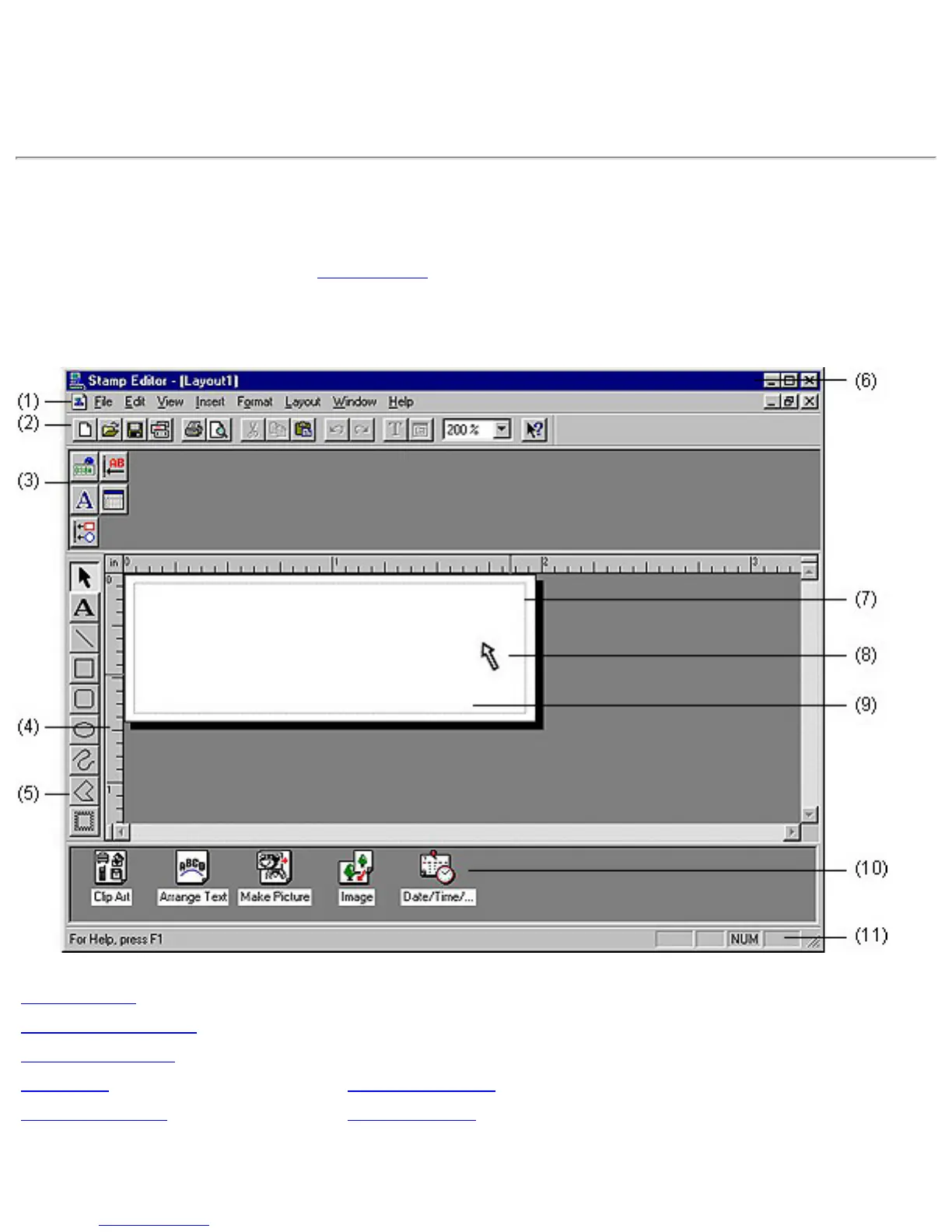
Creating a new layout document
A new layout document can be created in either of the following ways:
● starting up Stamp Editor (Click here)
● pulling down the [File] menu and selecting the [New] command, and then clicking the
[Layout] command in the [New] submenu
(1) Menu bar
(7) Print area
(2) Standard toolbar
(8) Cursor
(3) Property dock
(9) Layout area
(4) Rulers (10) Object dock
(5) Draw toolbar (11) Status bar
(6) Title bar










 To Next Page