Working with graphics objects
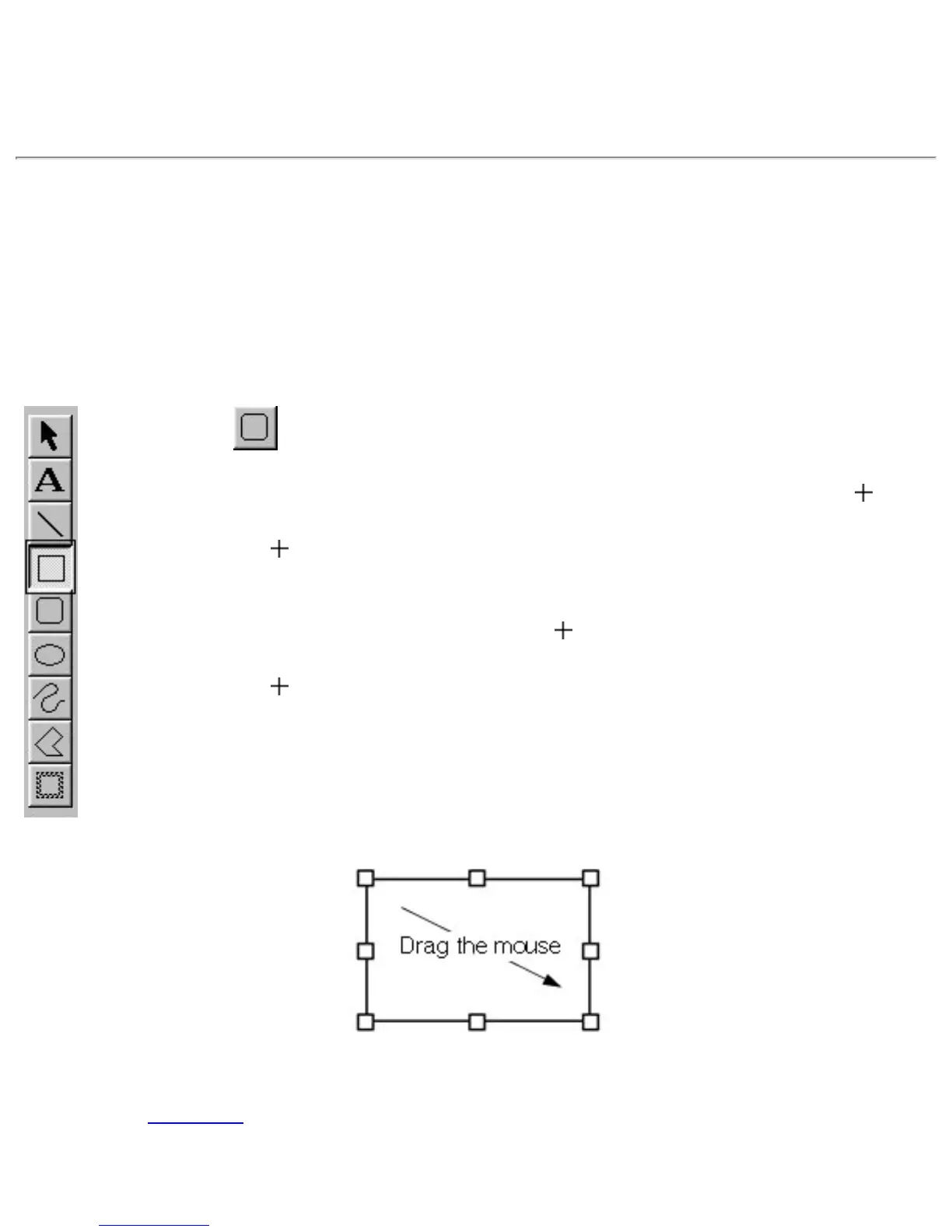
A graphics object is created each time you draw something in the layout area. The following procedure
shows how to draw a simple box.
Creating a graphics object
1. Click on the draw toolbar.
● When you move the pointer back to the layout area, its shape changes to .
2. Move the
pointer to any place in the layout area and hold down the left mouse
button.
● This makes the current location of the pointer one of the corners of the box.
3. Move the
pointer to where you want the opposite corner of the box to be and
release the mouse button.
● You can use the other graphic tools in the same way to draw lines, rounded boxes, ellipses and
frames. Click here for details on using all of the draw toolbar buttons.
● Holding down the computer keyboard's shift key while dragging the mouse allows you to draw










 To Next Page