Using the Memory Function
73
VARIOUS STITCHES
3
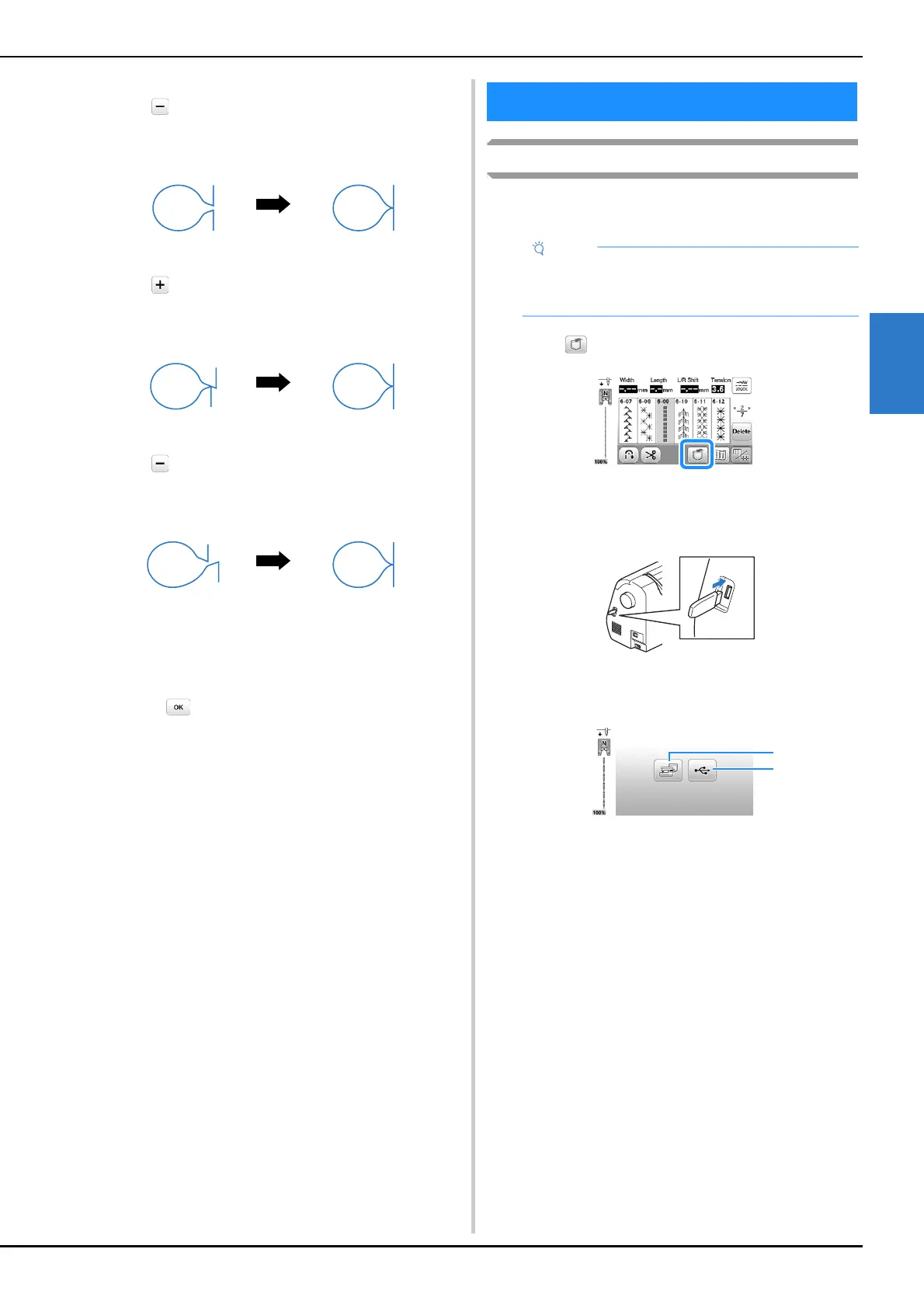
If the stitch pattern has gaps:
Touch in the [Fine Adjust Verti.] display.
The displayed value decreases each time the key is
touched and the stitch pattern will shorten.
If the stitch pattern is skewed to the left:
Touch in the [Fine Adjust Horiz.] display.
The displayed value increases each time the key is
touched and the stitch pattern will slide to the right.
If the stitch pattern is skewed to the right:
Touch in the [Fine Adjust Horiz.] display.
The displayed value decreases each time the key is
touched and the stitch pattern will slide to the left.
e
Sew the stitch pattern again.
• If the stitch pattern still comes out poorly, make
adjustments again. Adjust until the stitch pattern
comes out correctly.
f
Touch to return to the original screen.
Saving stitch patterns
You can save stitch patterns that you have customized in the
machine's memory or USB flash drive.
a
Touch .
b
When saving the stitch pattern in a USB flash drive,
insert the USB flash drive into the USB port on the
machine.
c
Touch the desired destination to start saving.
1 Save to the machine’s memory.
2 Save to the USB flash drive.
The stitch pattern is saved in a folder labeled “bPocket”.
Using the Memory Function
• Do not turn the main power to OFF while the
[Saving...] screen is displayed. You will lose the
stitch pattern you are saving.










 To Next Page