MY CUSTOM STITCH
76
c
Touch or to move the section and touch .
The section will be moved.
■ Inserting new points
a
Touch or to move to a place on the design
where you want to add a new point.
b
Touch to insert a new point.
c
Use to move the point.
■ Retrieving saved stitch patterns
a
Touch to select the location of the stitch pattern to
be retrieved.
b
Select the stitch pattern.
c
Touch to retrieve the stitch pattern.
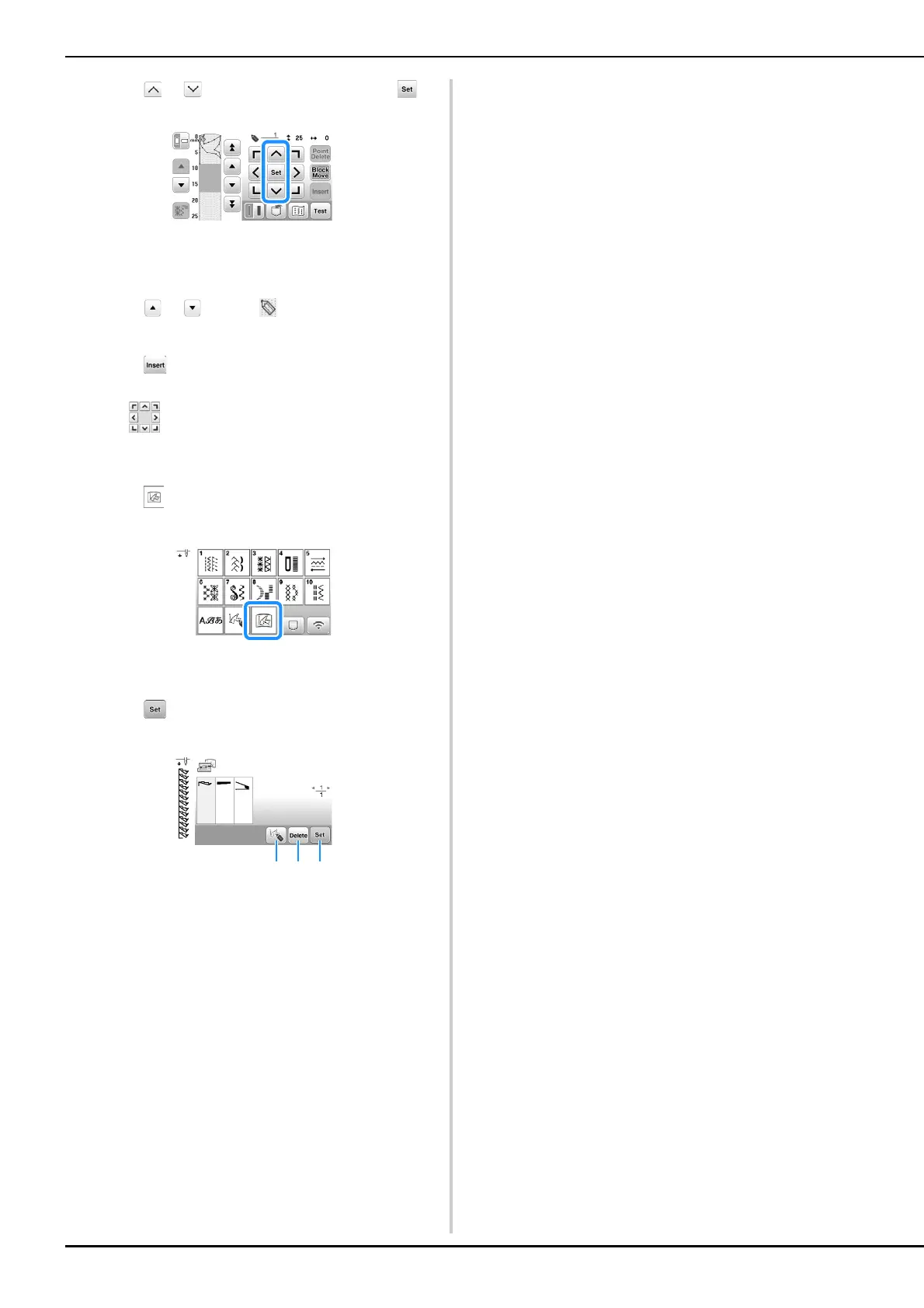
1 Edit the stitch pattern.
2 Delete the stitch pattern.
3 Retrieve the stitch pattern.










 To Next Page