USING THE MEMORY FUNCTION
S-96
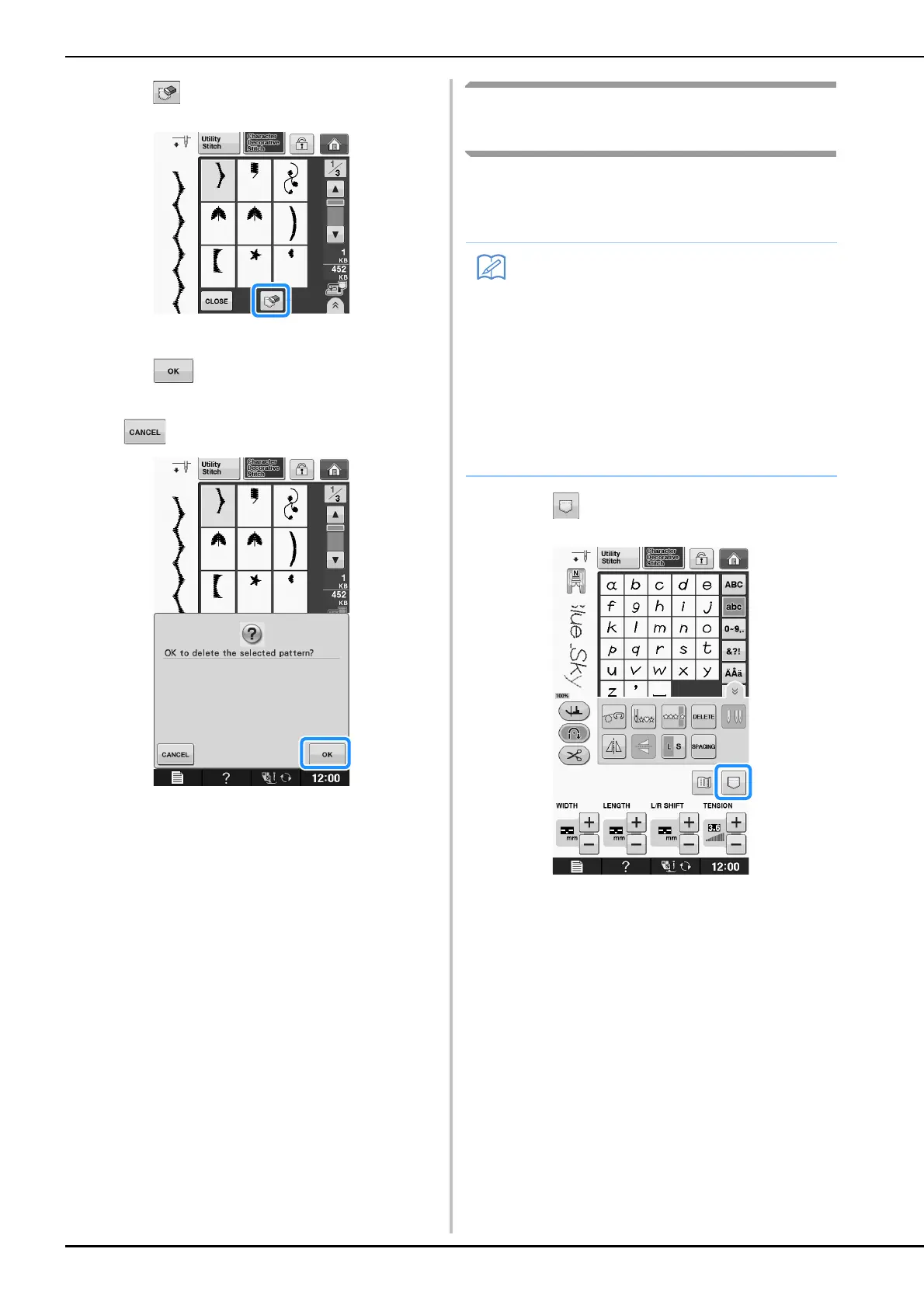
c
Press .
A confirmation message appears.
d
Press .
* If you decide not to delete the stitch pattern, press
.
The machine deletes the stitch pattern, then
automatically saves the new stitch pattern.
Saving Stitch Patterns to USB
Media
When sending stitch patterns from the machine to
USB media, plug the USB media into the
machine’s top USB port.
a
Press .
• USB media is commercially available, but
some USB media may not be usable with
this machine. Please visit our website for
more details.
• Depending on the type of USB media being
used, either directly plug the USB device
into the machine’s USB port or plug the
USB media Reader/Writer into the
machine’s USB port.
• The USB media can be inserted or removed
at any time except when saving or deleting.


 To Next Page