EDITING PATTERNS
Embroidery Edit
Embroidering E-61
E
2
EDITING PATTERNS
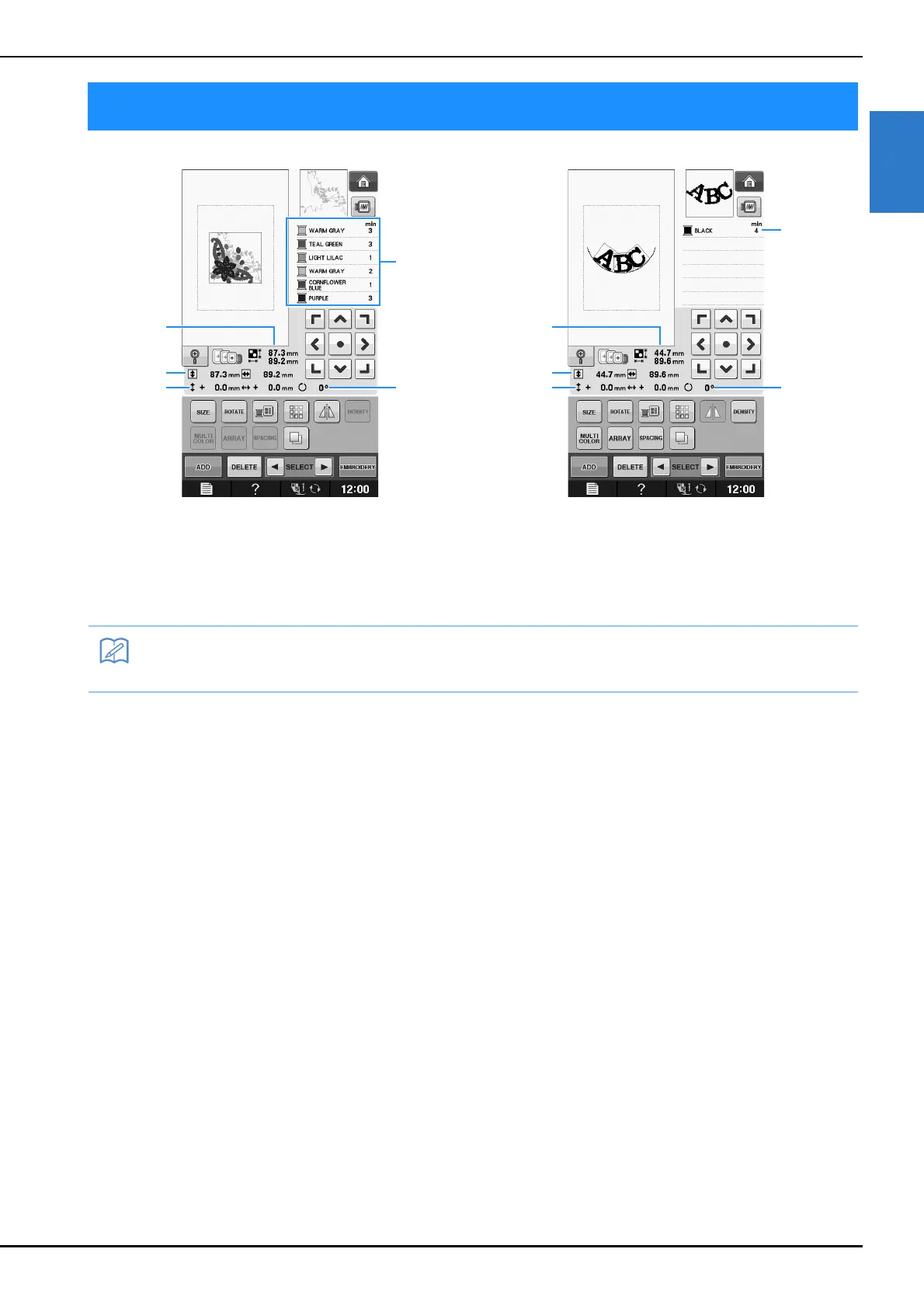
a Shows the size of the entire combined pattern.
b Shows the size of the pattern currently selected.
c Shows the distance from the center of the frame.
d Shows the color sequence and times of each step of the pattern currently selected.
e Shows the degree of rotation for the pattern.
• If a key display is light gray, you cannot use that function with the selected pattern.


 To Next Page