USING THE MEMORY FUNCTION
E-50
Recalling from the Computer
For Computers and Operating Systems, see
“Connecting Your Machine to the Computer” on
page E-44.
a
Plug the USB cable connector into the
corresponding USB ports for the computer
and for the machine (see page E-47).
b
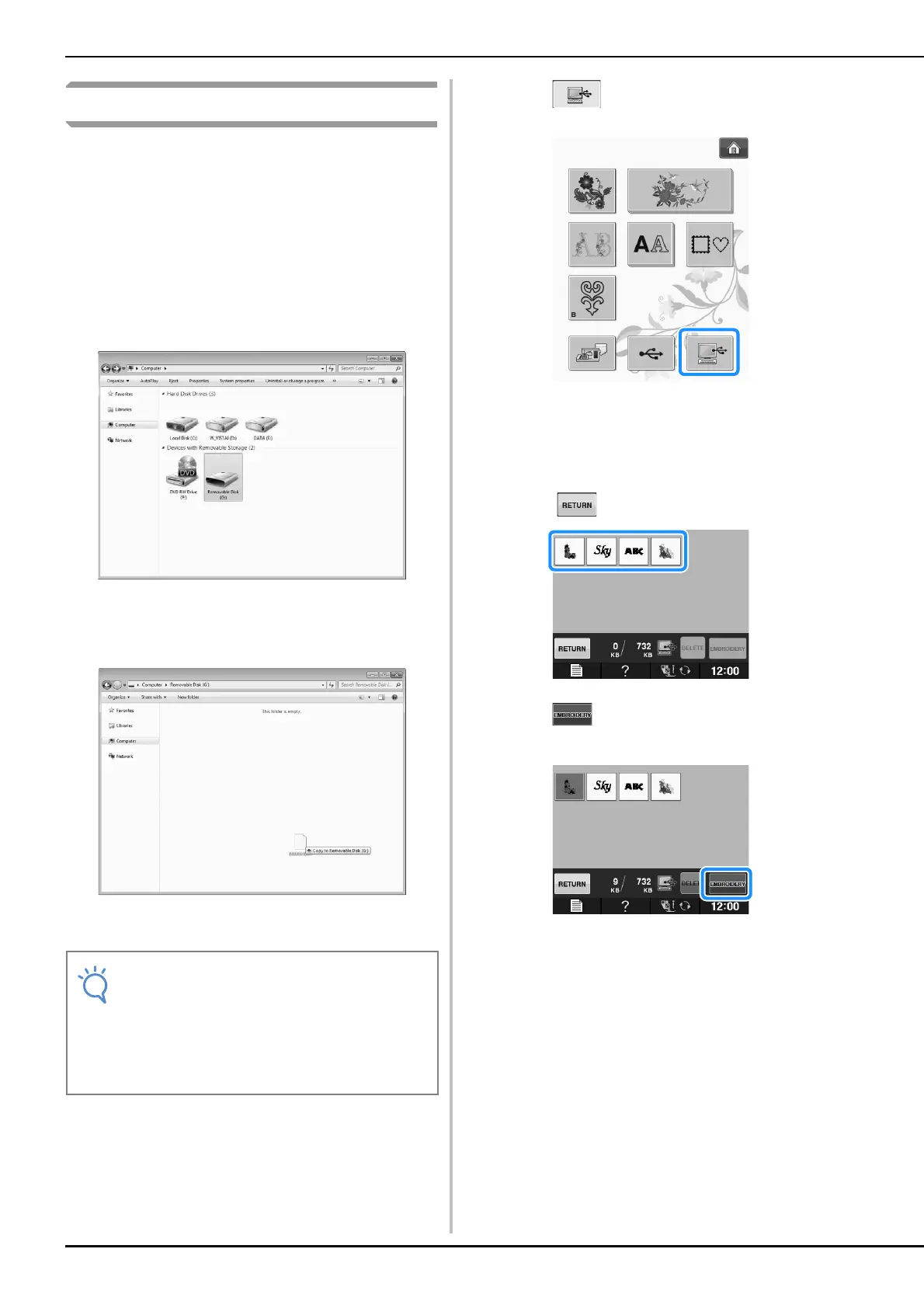
On the computer, open “Computer (My
computer)” then go to “Removable Disk”.
c
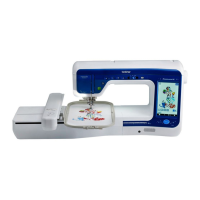
Move/copy the pattern data to “Removable
Disk”.
Pattern data in “Removable Disk” is written to the
machine.
d
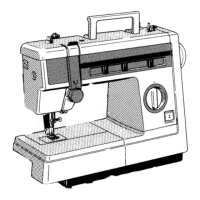
Press .
The patterns in the computer are displayed on the
selection screen.
e
Press the key of the pattern you want to
recall.
* Press to return to the original screen.
f
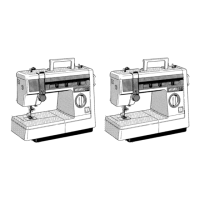
Press .
The embroidery screen is displayed.
• While data is being written, do not
disconnect the USB cable.
• Do not create folders within “Removable
Disk”. Since folders are not displayed, stitch
pattern data within folders cannot be
recalled.


 To Next Page