COMBINING PATTERNS
Embroidery Edit
Embroidering E-81
E
2
d
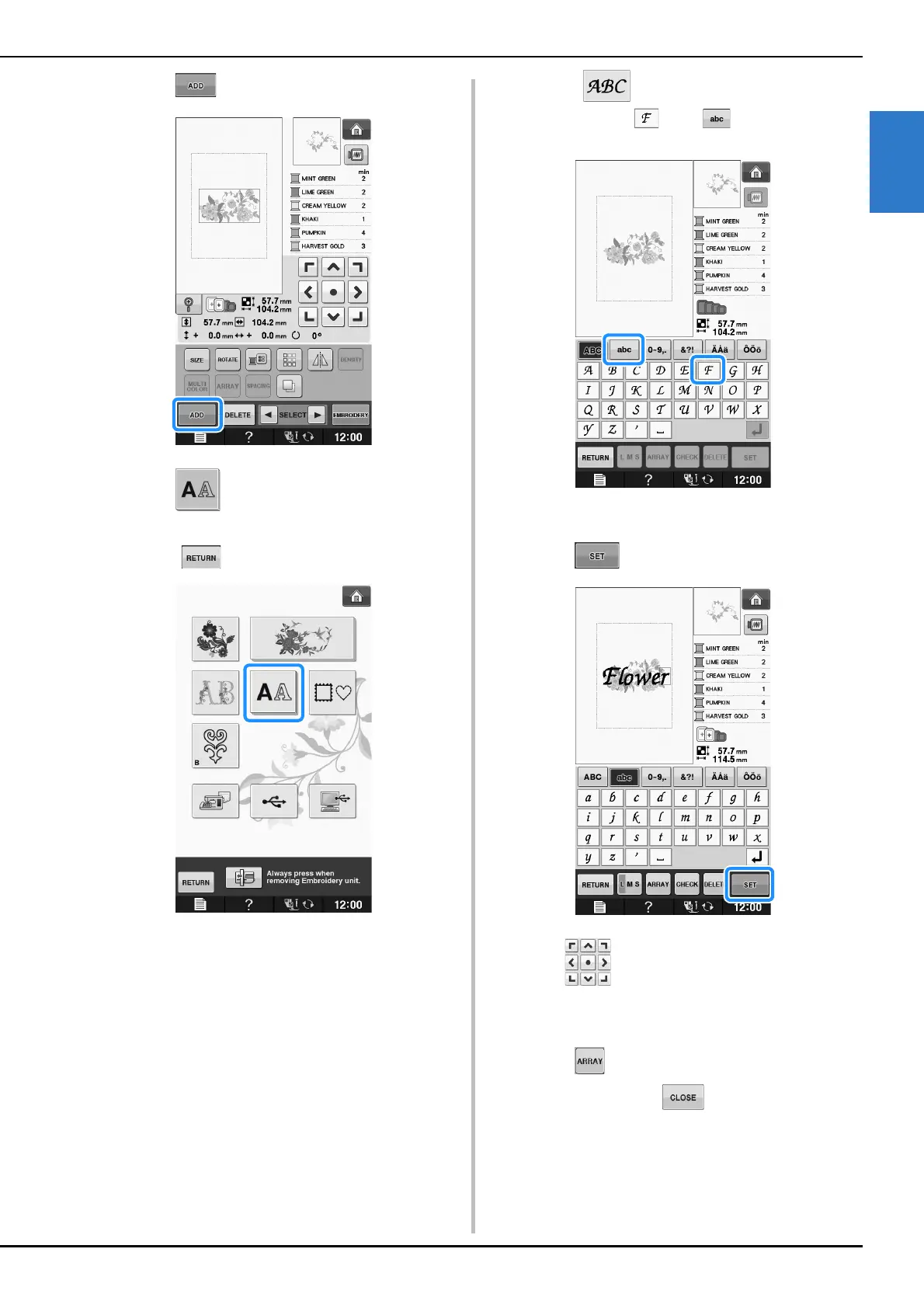
Press .
e
Press to enter the alphabet
characters.
* Press to return to the previous screen.
f
Select and enter “Flower”.
* After selecting , press to change the
character case, then enter the remaining characters.
The characters you enter will be displayed in the
center of the display.
g
Press .
h
Use to move the characters.
* With a USB mouse, your finger or the touch pen,
drag the characters to move them.
i
Press to change the layout of the
characters. Press .
* See page E-64 for more information about changing
the layout.


 To Next Page