EasyManua.ls Logo

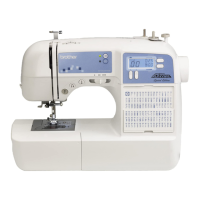
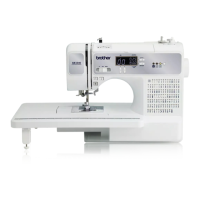
Brother XR9500PRW - User Manual

Brother XR9500PRW
80 pages
Print Icon
To Next Page IconTo Next Page
Loading...
Please visit us at http://solutions.brother.com where you can get product support
and answers to frequently asked questions (FAQs).
KNOWING YOUR
SEWING MACHINE
SEWING BASICS
VARIOUS STITCHES
APPENDIX
Meijer.com

Table of Contents

Other manuals for Brother XR9500PRW

Questions and Answers

  • C
    christopherjacksonAug 18, 2025
    How to fix Brother XR9500PRW that does not work?
    • Q
      qbellAug 18, 2025
      If your Brother Sewing Machine isn't working, there are several things to check: * Ensure the machine is plugged in. * Make sure the main power switch is turned on. * Verify the bobbin winder shaft is moved to the left. * Confirm you are using the foot controller properly.
  • M
    Martin JohnsonAug 20, 2025
    How to adjust the thread tension on a Brother XR9500PRW Sewing Machine?
    • X
      xweberAug 21, 2025
      If the thread tension on your Brother Sewing Machine is incorrect, try the following: * Correct the upper threading. * Wind the bobbin thread properly. * Choose a thread and needle appropriate for the fabric. * Attach the presser foot holder properly. * Adjust the tension of the upper thread. * Reset the bobbin thread correctly.
  • J
    Joseph FryAug 23, 2025
    How to prevent skipped stitches on a Brother XR9500PRW Sewing Machine?
    • J
      Joe GillespieAug 23, 2025
      If you're experiencing skipped stitches on your Brother Sewing Machine, try these steps: * Correct the upper threading. * Choose the right combination of fabric, thread, and needle. * Replace the needle if it's bent or blunt. * Remove the needle plate cover and clean the plate and the bobbin case to eliminate any accumulated dust.
  • C
    Christy VelezAug 26, 2025
    Why isn't the fabric feeding through my Brother Sewing Machine?
    • M
      Megan ClarkAug 26, 2025
      If the fabric does not feed through your Brother Sewing Machine, ensure that the feed dogs are not lowered by sliding the feed dog position lever. Also, the stitch might be too fine, so try lengthening the stitch length.
  • J
    James BakerAug 28, 2025
    Why does the needle break on my Brother Sewing Machine?
    • J
      Jessica JacksonAug 28, 2025
      If the needle on your Brother Sewing Machine is breaking, consider the following: * Ensure the needle is fitted properly. * Tighten the needle clamp screw firmly with a screwdriver. * Replace the needle if it's bent or blunt. * Use the correct combination of fabric, thread, and needle. * Attach the correct presser foot for the stitch type. * Loosen the upper thread tension. * Use only bobbins designed for this machine.
  • H
    Haley SanchezAug 30, 2025
    Why does the upper thread keep breaking on my Brother Sewing Machine?
    • A
      Andrea EnglishAug 30, 2025
      If the upper thread on your Brother Sewing Machine keeps breaking, here’s what you should check: * Make sure you've threaded the upper thread correctly. * Ensure the needle is appropriate for the thread you're using. * Loosen the upper thread tension. * Remove any tangled thread, especially in the bobbin case, and clean the bobbin case if necessary. * Replace the needle if it's bent or blunt.
  • R
    Ronald PorterSep 1, 2025
    What causes the lower thread to tangle on a Brother XR9500PRW?
    • M
      Mitchell HodgesSep 1, 2025
      If the lower thread is tangling or breaking on your Brother Sewing Machine, make sure you wind the bobbin thread properly and reset the bobbin thread correctly.
  • T
    Tara SandersSep 3, 2025
    Why is my Brother XR9500PRW Sewing Machine making a high-pitched noise?
    • A
      april24Sep 3, 2025
      To address a high-pitched noise while sewing with your Brother Sewing Machine: * Clean the bobbin case. * Correct the upper threading. * If the bobbin case is scratched, replace it and contact your retailer or the nearest authorized service center.
  • A
    Amy SteeleSep 6, 2025
    Why is the upper thread too tight on my Brother XR9500PRW?
    • J
      Jamie DixonSep 6, 2025
      If the upper thread is too tight on your Brother Sewing Machine, it might be because the bobbin thread is incorrectly installed. Make sure to correctly install the bobbin thread.
  • C
    cblackburnSep 8, 2025
    What to do if the fabric is wrinkled when using Brother Sewing Machine?
    • J
      John MillerSep 8, 2025
      If the fabric is wrinkling when using your Brother Sewing Machine, consider these solutions: * Thread the upper thread and wind the bobbin thread properly. * Use the right combination of fabric, thread, and needle. * Replace the needle if it is bent or blunt.

Summary

KNOWING YOUR SEWING MACHINE

NAMES OF MACHINE PARTS AND THEIR FUNCTIONS

Identifies and explains the various parts of the sewing machine and their functions.

ACCESSORIES

Lists and describes the included and optional accessories for sewing tasks.

USING YOUR SEWING MACHINE

Covers essential operations like power supply, turning on the machine, and using the foot controller.

THREADING THE MACHINE

Provides step-by-step instructions for winding the bobbin and threading the upper and lower threads.

REPLACING THE NEEDLE

Explains how to safely replace the sewing machine needle and select the correct type for different fabrics.

REPLACING THE PRESSER FOOT

Details the procedure for attaching and removing presser feet for various stitches and sewing tasks.

SEWING BASICS

SEWING

Outlines the general procedure for basic sewing operations, including safety precautions and steps to start sewing.

USEFUL SEWING TIPS

Offers practical advice for achieving better sewing results on various fabric types and techniques like curves and thick fabrics.

VARIOUS STITCHES

STITCH SETTINGS

Details stitch names, patterns, applications, widths, lengths, and compatibility with twin needles and walking feet.

OVERCASTING STITCHES

Explains how to use overcasting stitches for joining seams and finishing edges, particularly on stretch materials.

BASIC STITCHING

Covers straight stitches for plain seams, including left and center needle positions and changing needle position.

BLIND HEM STITCHING

Guides on how to perform blind hem stitching for a clean finish on projects like trouser hems.

BUTTONHOLE SEWING

Details the process for sewing buttonholes and attaching buttons, including specific presser foot usage and button guide plate adjustment.

ZIPPER INSERTION

Explains how to insert zippers using the zipper foot, positioning it left or right of the needle for different zipper sides.

SEWING STRETCH FABRICS AND ELASTIC TAPE

Covers techniques for sewing stretch fabrics and attaching elastic tape effectively, ensuring proper length and tension.

APPLIQUÉ, PATCHWORK AND QUILT STITCHING

Describes stitches suitable for decorative appliqué, patchwork, and quilting projects, including piecing and joining techniques.

REINFORCEMENT STITCHING

Explains triple stretch stitching and bar tacks for reinforcing areas subject to strain, such as sleeve holes and pocket corners.

DECORATIVE STITCHING

Introduces various decorative stitches like fagoting, smocking, and scallop stitching for embellishing fabrics.

SEWING CHARACTERS (for models equipped with character stitches)

Guides on selecting, combining, and sewing characters or letters using the machine's built-in font.

ADJUSTING STITCHES (for models equipped with character stitches)

Explains how to adjust stitch width and length for character stitches to achieve desired results based on fabric and tension.

APPENDIX

MAINTENANCE

Provides instructions for cleaning the machine surface and the bobbin case to ensure optimal sewing performance and longevity.

TROUBLESHOOTING

Offers solutions for common sewing machine problems, detailing symptoms, possible causes, and how to fix them.

ERROR MESSAGES

Lists error codes, their probable causes, and recommended solutions to resolve operational issues and malfunctions.

OPERATION BEEP (for models equipped with the operation beep)

Explains the meaning of different beeps indicating correct operations, errors, or machine lock-ups, aiding in troubleshooting.

Brother XR9500PRW Specifications

General IconGeneral
Buttonhole Styles8
Maximum Stitch Width7 mm
Maximum Stitch Length5 mm
LCD DisplayYes
Needle ThreaderAutomatic
Bobbin TypeDrop-in
Speed ControlYes
Drop FeedYes
Free ArmYes
TypeComputerized
Included AccessoriesWide table, seam ripper, cleaning brush, needles, bobbins, screwdriver, spool caps
Presser FeetButtonhole foot, Overcasting foot, Monogramming foot, Zipper foot, Zigzag foot, Blindstitch foot, Walking foot, Quilting foot
Warranty25 years limited warranty

Related product manuals