EasyManua.ls Logo

BROVIND CFV12A - Page 34

Default Icon
35 pages
Print Icon
To Next Page IconTo Next Page
To Previous Page IconTo Previous Page
Loading...
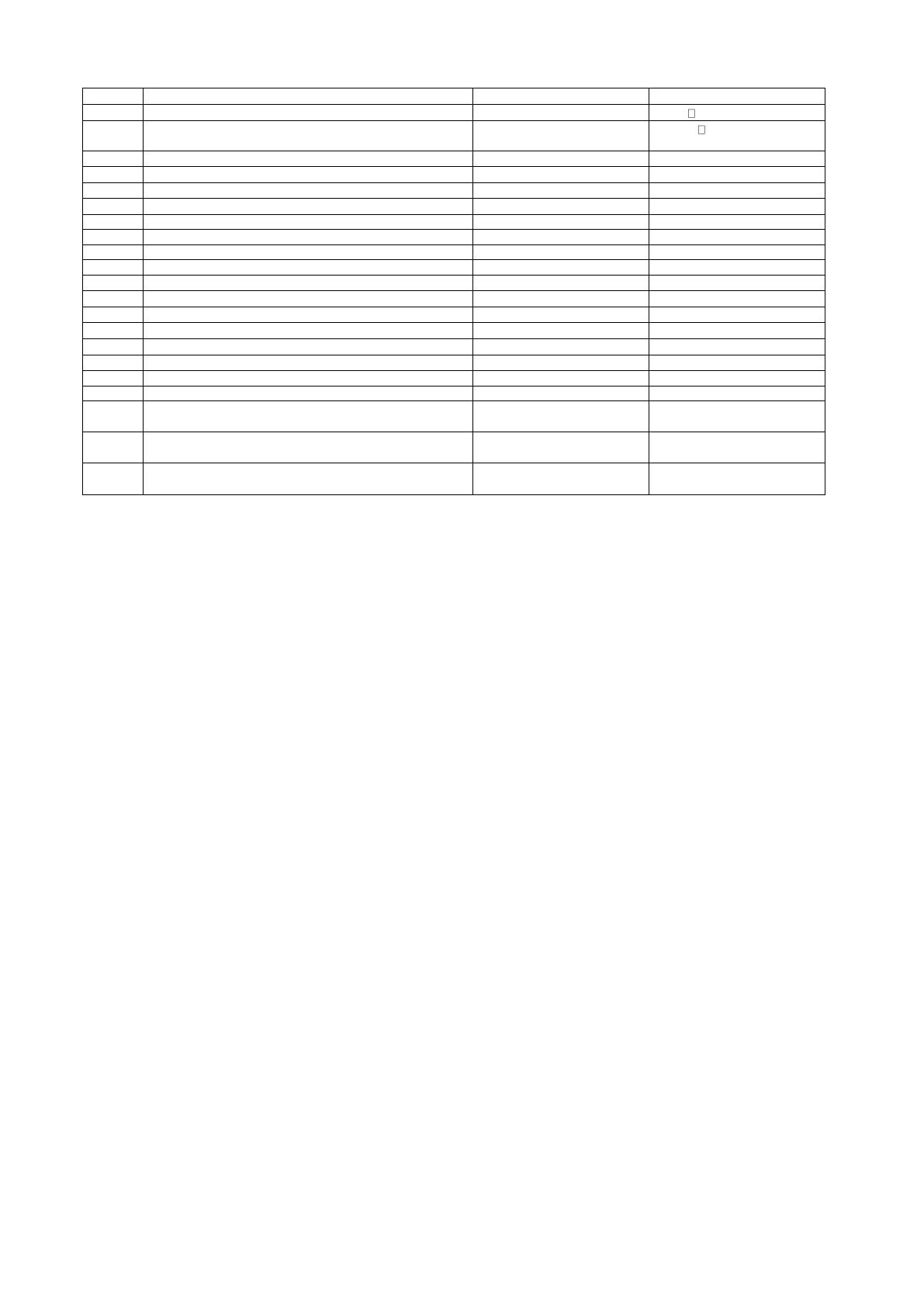
PG.
34
34/2
Motor function: Toggle time
.  (0=Off; 1=On)
Not available
35
HF/LF mode
Not available
 (See pag. 26)
37
Vi Calibration
Not available
.  (values from 40 to
100)
40
Save configuration: Number
. 
. 
40/1
Save configuration: Save
.(0=Off; 1=On)
.(0=Off; 1=On)
41
Restore configuration: Number
. 
. 
41/1
Restore configuration: Restore
.(0=Off; 1=On)
.(0=Off; 1=On)
45
Logic functions: build bloks
See Pg. 17 e Pg. 27
See Pg. 17 e Pg. 27
46
Logic functions: Activating program
See Pg. 17 e Pg. 27
See Pg. 17 e Pg. 27
47
Logic functions: Deleting program
See Pg. 17 e Pg. 28
See Pg. 17 e Pg. 28
48
Logic functions: Managing internal Timer
See Pg. 17 e Pg. 28
See Pg. 17 e Pg. 28
50
Set communications and Board address
, , , .
, , , .
50/1
Set board Address
. from  to 
. from  to 
50/2
Set Baud-rate value
 from  to 
52
Communication error on bus RS48 (Counter)
. 
. 
59
Enable for Firmware updating
.(0=Off; 1=On)
.(0=Off; 1=On)
59/1
Confirmation Firmware updating
.(0=Off; 1=On)
.(0=Off; 1=On)
60
Board software version
See Pg. 28
See Pg. 28
61
Display software version
See Pg. 29
See Pg. 29
70
Password 1: Total
.  (Password Off)
.  (Password On Ex.)
.  ( Password Off)
.  ( Password On Ex.)
71
Password 2: Partial
.  ( Password Off)
.  ( Password On Ex.)
.  ( Password Off)
.  ( Password On Ex.)
81
Open \ Close loop
.=Open loop
. =Closed loop
.=Open loop
. =Closed loop

Table of Contents

Related product manuals