17
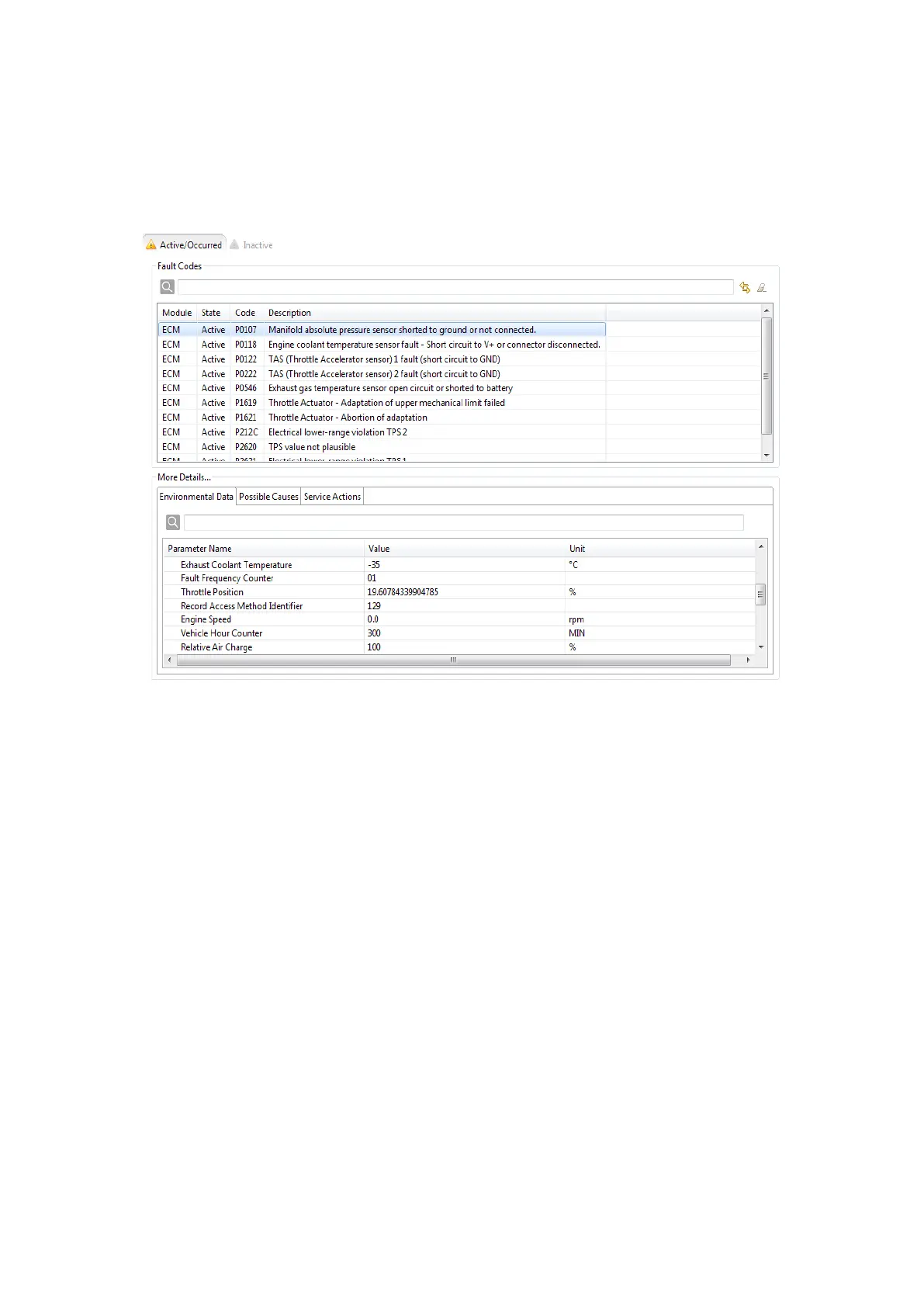
Active/Occurred
Active: Active faults
Occurred: Faults occurred but are no longer active
By selecting the refresh or clear button on the top right of the Active/Occurred tab, the faults are reloaded
from the vehicle, or cleared, respectively.
Figure 35: Active/Occurred Faults Page
Inactive
The Inactive Faults tab shows all inactive faults, i.e. faults that did not occur.
In the bottom section of the page more details on the faults are given.
Environmental Data
The status of the vehicle when the fault occurred is shown (i. e. speed, ignition angle, ...).



 To Next Page