16
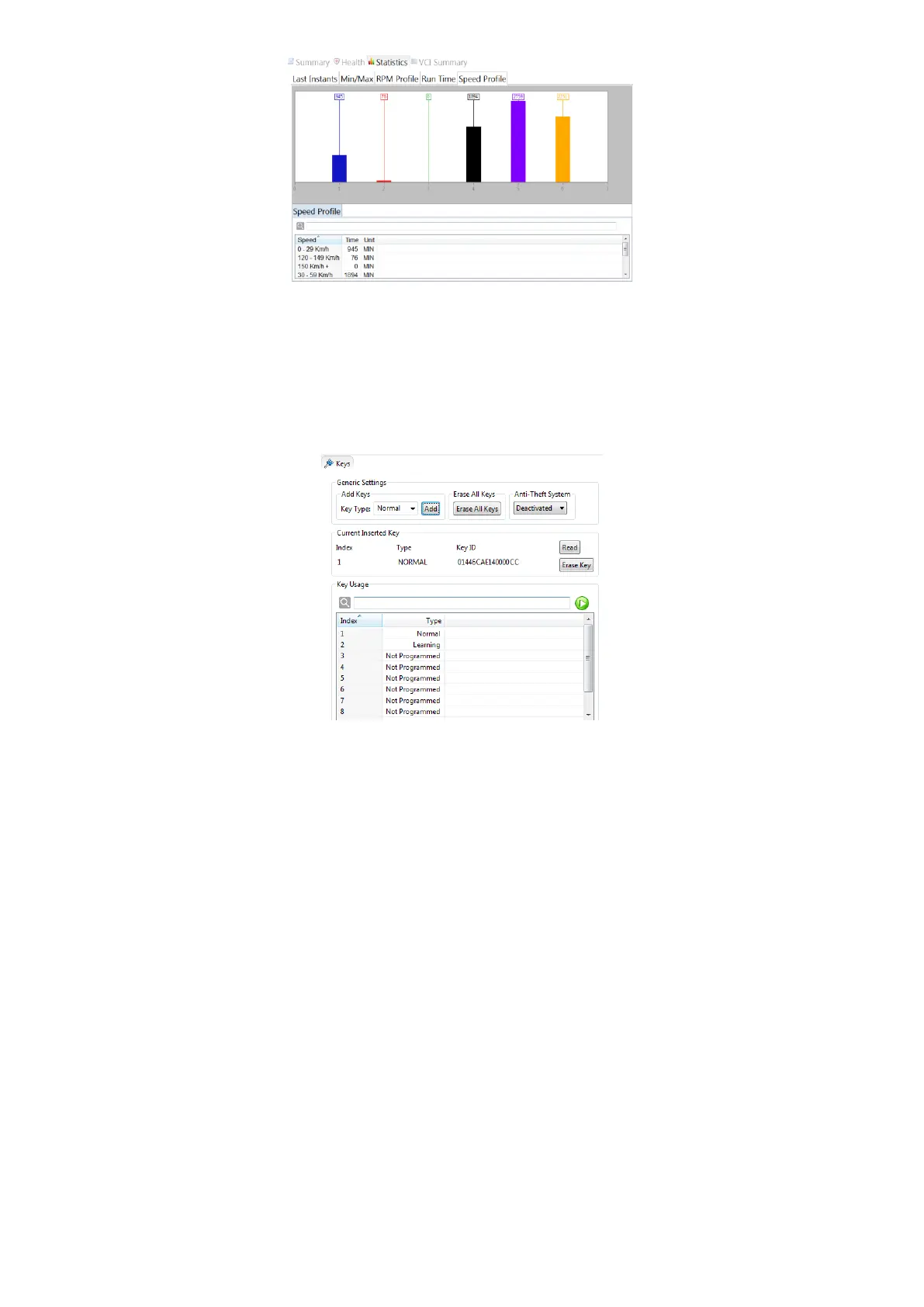
Figure 33: Speed profile page
Keys Page
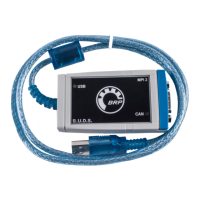
To program keys into the vehicle or read the currently programmed keys, open the Keys Page.
Figure 34: Keys Page
Programming a new key:
1. Press on ‘Read’ to read the currently connected key
2. Select the key type, e.g. normal or rental
3. By clicking on ‘Add’, the currently connected key will be registered with the selected key type
4. The new key will be shown in the table ‘Key Usage’ which shows all programmed keys
To change the key type of an already programmed key, double-click on a key in the table or press the
green ‘Play’ button after selecting a key in the table.
Selecting ‘Erase Key’ will remove the currently connected key.
By clicking on ‘Erase All Keys’, all key settings are reset.
The keys are only programmed when the Anti-Theft System is enabled.
Faults Page
All faults are listed and described (Module, State, Code, Description) on the top right.



 To Next Page