7
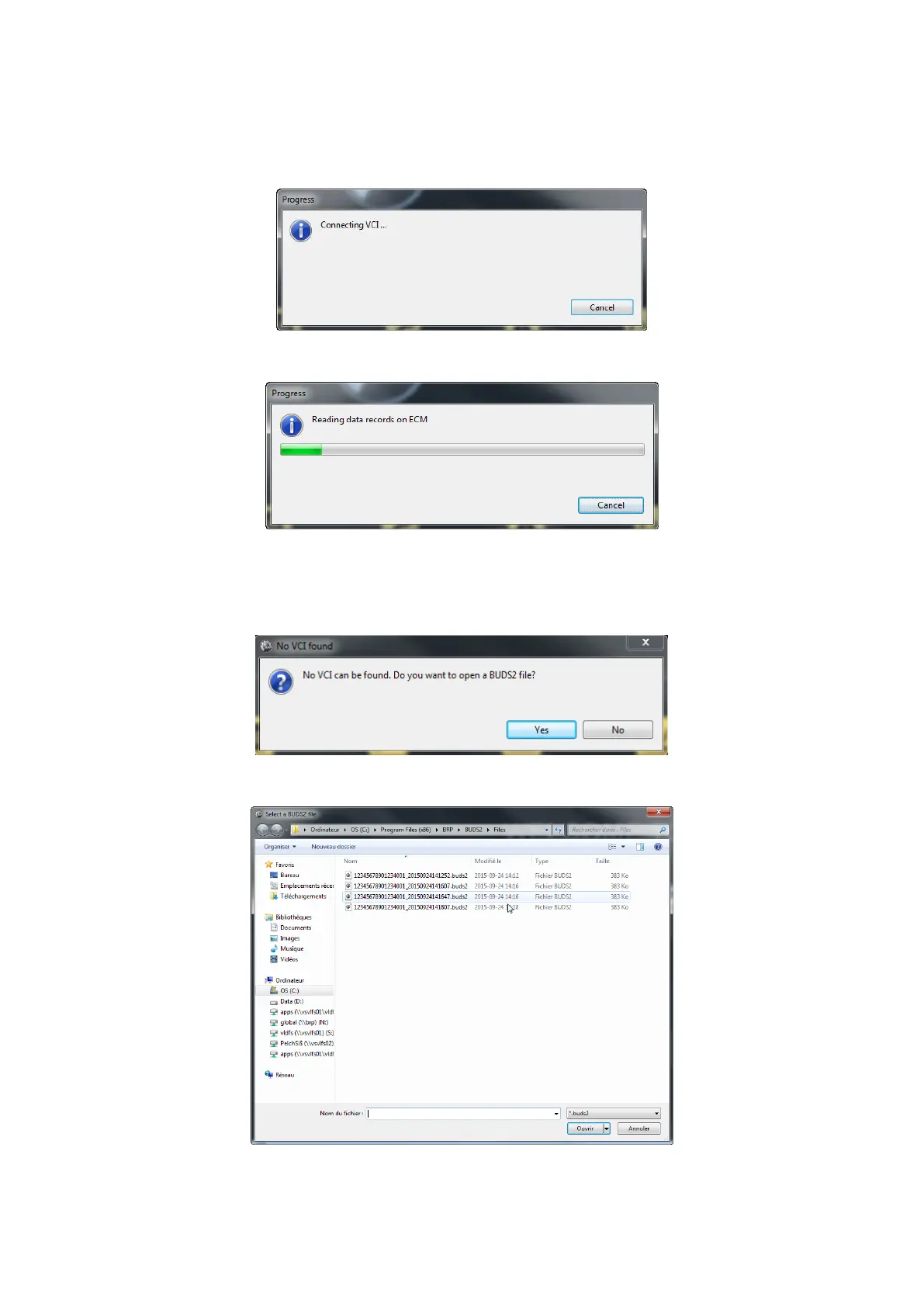
• VCI mode: All data is read from the VCI. VCI mode is only available if a VCI is connected and the
VCI drivers have been installed successfully.
• File mode: Data is read from a BUDS2 file which is a stored snapshot of a previous vehicle scan.
BUDS2 is in file mode if a BUDS2 file has been opened.
If a VCI is connected at startup, BUDS2 will start up in VCI mode and start scanning the vehicle.
Figure 13: Connecting VCI
Figure 14: Reading ECUs
If no VCI is connected at startup, BUDS2 will prompt you to open a BUDS2 file. A file dialog will open and
you can select the BUDS2 file to open. In this case BUDS2 will start up in file mode.
Figure 15: No VCI found
Figure 16: Opening a BUDS2 file



 To Next Page