159
ELECTRICAL AND IGNITION
TPS CALIBRATION
6
Timing Verification
Use the Evinrude Diagnostics Software program
to synchronize the mechanical timing of the out-
board with the electronic timing control function of
the EMM.
Perform timing verification after any of the follow-
ing procedures:
• Powerhead replacement
• Crankshaft replacement
• Flywheel removal or replacement
• CPS replacement
• EMM replacement
• EMM software replacement (reprogramming)
IMPORTANT: Make sure the timing pointer is
set and the outboard reaches operating tempera-
ture before timing verification is performed.
TPS CALIBRATION
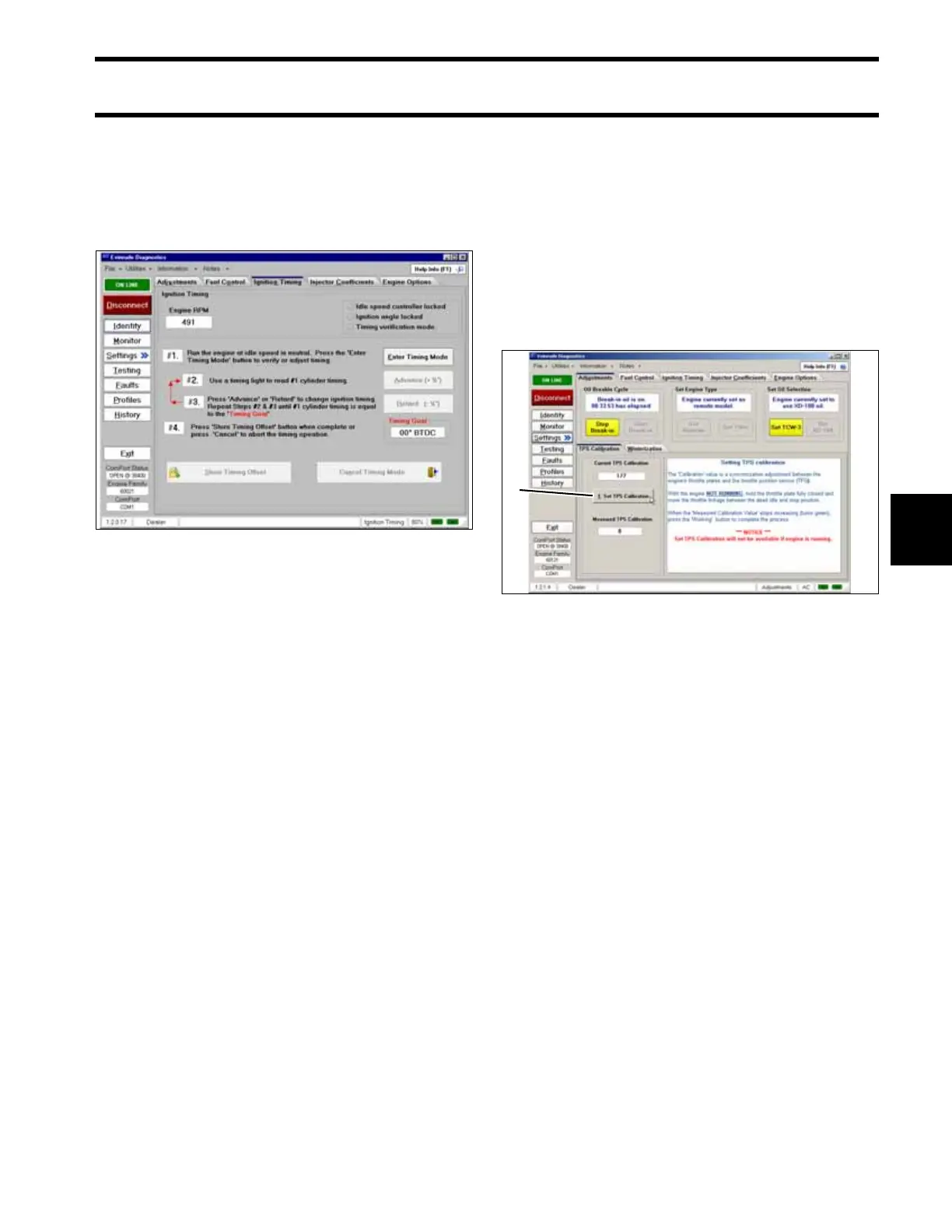
Use the Evinrude Diagnostics Software program
to tell the EMM what the throttle position sensor
voltage level is when the throttle plates begin to
open.
Remove the air silencer.
On the Settings screen of the diagnostic software,
click the “Set TPS Calibration” button.
While holding the throttle plates closed, advance
the throttle linkage until it stops. The “Measured
TPS Calibration” field on the screen will increase.
Click the “Working” button in the software to cali-
brate the TPS.
Install the air silencer.
Perform TPS Calibration after replacing or adjust-
ing any throttle body or throttle linkage parts.
Timing Adjustment Screen 005148
1. TPS Calibration button 006311
1




 To Next Page