61
EEmmeerrggeennccyy SSttaarrtt PPrroocceedduurree
IIMMPPOORRTTAANNTT
:
Evinrude E-TEC
models use a dedicated remote con-
trol network for all remote control-re-
lated functions. In the event network
communication between the remote
control and the engine
EMM
is dis-
abled, back-up remote control function
is provided using the
NMEA 2000
network.
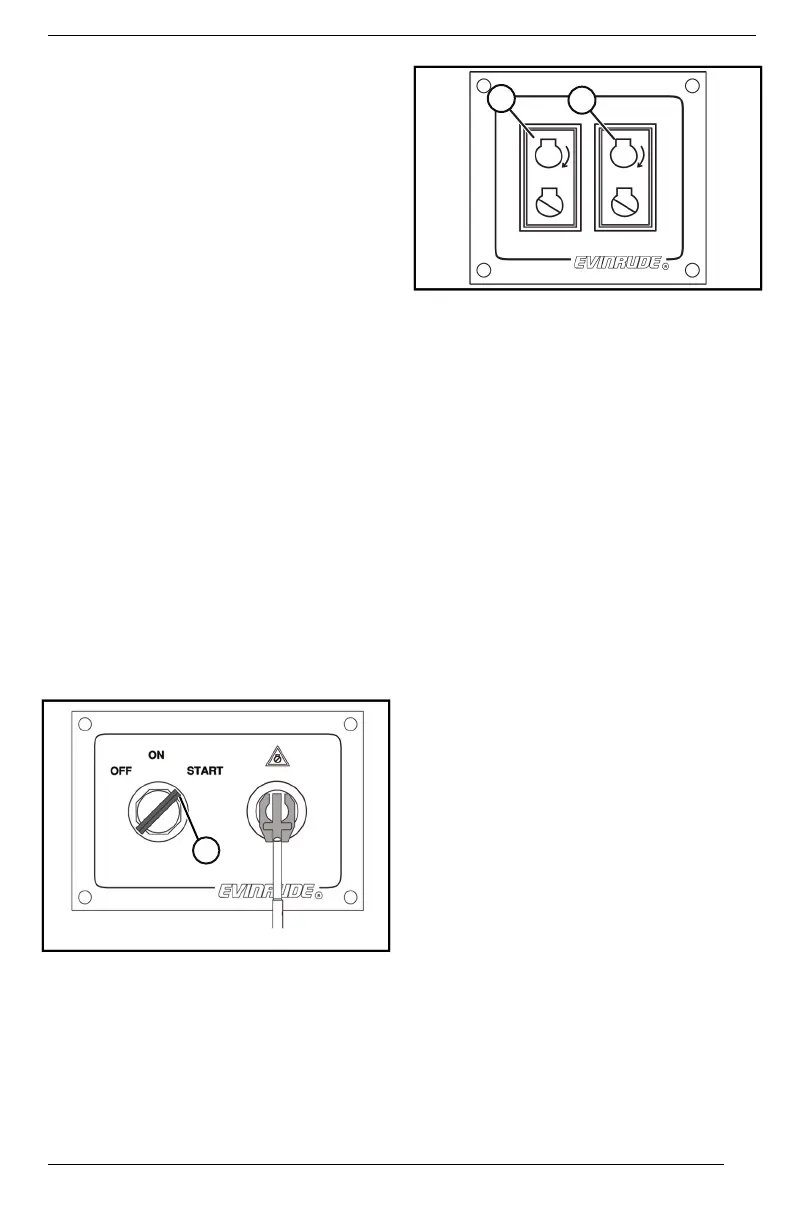
Start the engine using the following
procedure:
1. Turn the key switch to the ON
position.
NNOOTTEE::
The NEUTRAL LED indicator on the
remote control will flash rapidly, and
digital displays may show a network
communication service code or
warning.
2. Use the trim switch on the port side
on the engine to momentarily acti-
vate the trim system.
In multiple engine applications, re-
peat this procedure for each
engine.
1. Key switch START position
TTYYPPIICCAALL ((DDUUAALL EENNGGIINNEE SSHHOOWWNN))
1. Start buttons
MAINTENANCE







 To Next Page