3
S If HEAT is selected then the Evolution Connex Control operates only the
heating system.
S If COOL is selected then the Evolution Connex Control operates only
the cooling system.
S If FAN ONLY is selected, then the Evolution Connex Control o perates
the indoor fan.
Set Day and Time
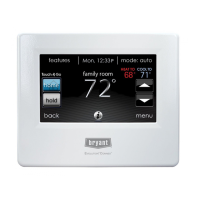
S To set the day and time for your home screen enter the main screen by
touching anywhere on the control.
S Touch the DAY and TIME label located at the top middle of the screen
or access by going through the menu screen (see page 14).
S To set the HOUR, MINUTE, MONTH, DAY,orYEAR touch the fea-
ture you wish to change.
S Use the Up (Y) and Down (B) buttons to make the appropriate
changes.
S When you have completed all of the settings, touch SAVE.
S If you make a mistake you may touch CANCEL and begin again.
Adjust Temperature (Temporary Hold)
The Evolution Connex Control allows you to temporarily override your
programmed schedule by adjusting the indoor temperature at any time to meet your
needs.
Adjusting Comfort Profiles (See Comfort Profiles on Page 7)
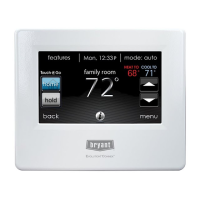
S To adjust the comfort activity, enter the main screen by touching any-
where on the control.
S Touch the activity under the Touch N Got feature on the left side of the
screen; then select th e desired activity of HOME, AWAY, SLEEP,or
WA K E .


 To Next Page