
 Need help?
Do you have a question about the Bryant Housewise and is the answer not in the manual?
The Bryant Housewise Thermostat is a smart home device designed to manage heating and cooling systems, offering advanced features for comfort, energy efficiency, and remote control. It serves as a central control unit for your home's climate, allowing users to monitor and adjust temperatures, fan modes, and humidity levels.
The primary function of the Bryant Housewise Thermostat is to provide intelligent control over your home's heating and cooling equipment. It allows users to set desired temperatures, schedule operations, and monitor energy usage. The thermostat is designed to learn about your home's energy consumption patterns and track energy costs, ultimately aiming to decrease overall energy usage. Its smart features are enhanced when connected to a personal web portal, offering a more comprehensive and interactive experience.
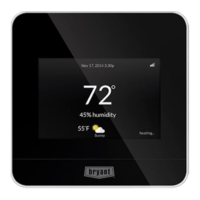
While specific technical specifications like dimensions, power requirements, or communication protocols (beyond Wi-Fi) are not detailed in this quick start guide, the device prominently features Wi-Fi® connectivity. This allows it to connect to your home's wireless network, enabling remote access and data synchronization with the Bryant web portal and mobile applications. The thermostat's interface includes a digital display that shows current temperature, fan mode, operating mode, and humidity. It also features touch-sensitive controls for navigation and adjustments.
The Bryant Housewise Thermostat offers a range of user-friendly features:
While the guide doesn't explicitly detail maintenance features for the device itself, the emphasis on Wi-Fi® connectivity and remote access suggests that software updates and diagnostics could potentially be managed remotely. The "Information Button" and "Menu" options likely provide access to system status and troubleshooting information. The availability of customer support (1-800-428-4326) and a comprehensive owner's manual (accessible via www.bryant.com/myhome) further support user maintenance and problem-solving. The system's ability to track energy usage and provide reports can also be considered a form of proactive "maintenance" by alerting users to potential inefficiencies in their HVAC system's operation.
In summary, the Bryant Housewise Thermostat is a sophisticated, Wi-Fi-enabled smart thermostat designed to offer comprehensive control over home climate, enhance energy efficiency through intelligent learning and reporting, and provide convenient remote access via mobile apps and a web portal.
 General
| Brand | Bryant |
|---|---|
| Model | Housewise |
| Category | Thermostat |
| Language | English |










 To Next Page