EasyManua.ls Logo

Bryant T1--PAC - User Manual

Bryant T1--PAC
8 pages
Print Icon
To Next Page IconTo Next Page
Loading...
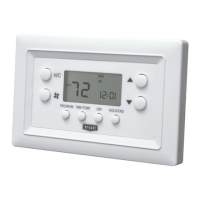
T1--PAC
T1--PHP
LEGACY LINE--RNC
PROGRAMMABLE THERMOSTATS
Installation Instructions
Designed and Assembled
in the USA.
A07109
Legacy Line--RNC Series Programmable Thermostat
NOTE: Read the entire instruction manual before starting the
installation
TABLE OF CONTENTS
PAGE
SAFETY CONSIDERATIONS 1.........................
INTRODUCTION 1...................................
INSTALLATION CONSIDERATIONS 1...................
INSTALLATION 1....................................
Step 1 Thermostat Location 1........................
Step 2 Install Thermostat 2...........................
Step 3 Set Thermostat Configuration 2.................
Step 4 Understand Thermostat Operation 2..............
Step 5 Check Thermostat Operation 3..................
WIRING DIAGRAMS 4................................
SAFETY CONSIDERATIONS
Improper installation, adjustment, alteration, service, maintenance,
or use can cause explosion, fire, electrical shock, or other
conditions which may cause death, personal injury, or property
damage. Consult a qualified installer, service agency, or your
distributor or branch for information or assistance. The qualified
installer or agency muse use factory--authorized kits or accessories
when modifying this product. Refer to the individual instructions
packaged with the kits or accessories when installing.
Follow all safety codes. Wear safety glasses, protective clothing,
and work gloves. Have a fire extinguisher available. Read these
instructions thoroughly and follow all warnings or cautions
included in literature and attached to the unit. Consult local
building codes and the current editions of the National Electrical
Code (NEC) NFPA 70.
In Canada, refer to the current editions of the Canadian Electrical
Code CSA C22.1.
Recognize safety information. This is the safety--alert symbol
.
When you see this symbol on the unit and in the instructions or
manuals, be alert to the potential for personal injury.
Understand the signal words DANGER, WARNING,and
CAUTION. These words are used with the safety--alert symbol.
DANGER identifies the most serious hazards which will result in
severe personal injury or death. WARNING signifies a hazard
which could result in personal injury or death. CAUTION is used
to identify unsafe practices which may result in minor personal
injury or product and property damage. NOTE is used to highlight
suggestions which will result in enhanced installation, reliability, or
operation.
INTRODUCTION
There are two Legacy Line--RNC Series programmable thermostat
models, one for AC applications and one for HP applications. Both
are dual powered, operating from either 24VAC or two alkaline
AA batteries. Configuration and program schedules are stored in
non--volatile memory, preserving this information during power
loss and battery removal. Features include simplified 5/2
programming, large backlit display, and modern styling.
The AC model provides one stage of heating and one stage of
cooling.
The HP model provides two stages of heating and one stage of
cooling.
INSTALLATION CONSIDERATIONS
AC Operation
For 24VAC operation, both the R and C wires must be connected
to the 24VAC power source. Batteries are not needed.
Battery Operation
When batteries are used, the common (C) connection is not needed,
saving a wire, and eliminating 24VAC operation. The thermostat
continues to operate in the event of a power failure. Battery life is
expected to be one year. A low battery” reminder tells the
homeowner when it is time to replace the batteries. When
connected without the common wire, the thermostat will not
operate without batteries. Continuous back--lighting is not
available.
Both Battery and AC Operation
If both batteries and 24VAC operation are used (batteries installed
and the common wire connected), and indefinite clock operation
are provided, the battery will be used only during AC power loss,
extending battery life to nearly its shelf life.
A jumper has to be properly set for backlight operation. J2 should
be set in the “AC” position when the thermostat is operated from
24VAC. J2 should be set in the “BAT” position when the
thermostat is operated from batteries. The thermostat will continue
Question and Answer IconNeed help?

Do you have a question about the Bryant T1--PAC and is the answer not in the manual?

Summary

Installation Instructions

Safety Considerations

Important safety precautions and warnings to follow during installation.

Introduction

Overview of the Legacy Line-RNC Series programmable thermostats and their features.

Installation Considerations

Factors to consider before and during the physical installation process.

Thermostat Location

Guides proper placement of the thermostat to ensure accurate temperature readings.

Install Thermostat

Details the physical mounting and wiring of the thermostat back plate and front housing.

Set Thermostat Configuration

Explains how to configure settings like equipment type and temperature units.

Understand Thermostat Operation

Covers display information, backlighting, battery status, and timers.

Check Thermostat Operation

Provides steps to test fan, heating, and cooling functions for proper operation.

Wiring Diagrams

Illustrates typical wiring connections for A/C and Heat Pump systems.

Homeowners Guide

Manual Operation

How to operate the thermostat manually, covering mode, fan, and setpoint adjustments.

Programmed Operation

Guide for setting comfort schedules, time, day, and programming weekly settings.

Programming a Weekly Comfort Schedule

Detailed steps for creating a personalized weekly heating/cooling schedule.

Modifying Your Weekly Comfort Schedule

How to change existing programmed comfort schedule settings.

Overriding Your Comfort Schedule

Methods for temporarily or manually overriding programmed schedules.

Changing Batteries

Instructions and tips for replacing the thermostat's batteries.

Troubleshooting

Solutions for common issues and error indicators like AUX HEAT and E-HEAT.

Warranty Information

Limited Warranty

General overview of the product's limited warranty terms.

Warranty Service or Repair

Contact information and procedures for obtaining warranty service or repair.

Product Registration

Instructions for registering the product online for warranty benefits.

Warranty Coverage Details

Outlines warranty periods for different ownership types and application types.

Warranty Conditions

Specific requirements and terms that must be met for warranty coverage.

Limitations of Warranties

Clarifies what is not covered by the warranty and disclaimers.

Warranty Exclusions

Lists specific conditions and events that void the warranty.

Overview

This document describes the Bryant Legacy Line-RNC Series Programmable Thermostats, available in T1-PAC and T1-PHP models. These thermostats are designed to provide precise control over heating and cooling systems, offering both programmable and manual operation modes. They are dual-powered, capable of running on either 24VAC or two alkaline AA batteries, ensuring continued functionality even during power outages. Configuration and program schedules are stored in non-volatile memory, preventing data loss upon power interruption or battery removal. The thermostats feature a large, backlit display for easy readability and a modern aesthetic.

Function Description

The Legacy Line-RNC thermostats serve as central control units for HVAC systems. The T1-PAC model supports one stage of heating and one stage of cooling, suitable for standard air conditioner applications. The T1-PHP model, designed for heat pump systems, supports two stages of heating and two stages of cooling.

Users can operate the thermostat in two primary ways:

  • Manual Operation: This mode allows users to bypass programmed schedules and directly control the system. By pressing the HOLD/END button, the thermostat enters a "HOLD" state, maintaining the current temperature settings indefinitely. In this mode, users can select the desired system mode (OFF, HEAT, COOL, or EMHT for heat pumps), adjust the fan operation (continuous or auto), and set the target temperature using the UP/DOWN buttons. The display will show the room temperature until a button is pressed, at which point it will show the current setpoint.
  • Programmed Operation: This is the core functionality, enabling users to create a weekly comfort schedule. The thermostat offers four periods per day (MORNING, DAY, EVE, NIGHT) and two schedules per week (weekdays and weekends). For each period and schedule, users can set a specific time, a heat setpoint, and a cool setpoint. The PROGRAM button initiates the programming mode, allowing navigation through the daily periods. The TIME/TEMP button cycles through setting the time, heat setpoint, and cool setpoint for each period. The DAY button switches between weekday and weekend programming. This feature is particularly useful for energy efficiency, as it allows the system to adjust temperatures based on occupancy patterns.

Usage Features

  • Dual Power Capability: The thermostats can be powered by 24VAC or two AA alkaline batteries. When using 24VAC, the R and C wires must be connected. Batteries are not required in this setup. For battery-only operation, the common (C) connection is not needed, and the thermostat continues to operate during power failures. If both power sources are connected, batteries are used only during AC power loss, extending their life.
  • Non-Volatile Memory: Configuration settings and program schedules are saved in non-volatile memory, ensuring that these settings are retained even if power is lost or batteries are removed.
  • Simplified Programming: The thermostats offer a 5/2 programming scheme, allowing for distinct weekday and weekend schedules.
  • Large Backlit Display: The display is large and features backlighting, which illuminates for 10 seconds after any button press, enhancing visibility in low-light conditions. Continuous backlighting is not available.
  • Configuration Options: Installers can configure various options to tailor the thermostat to specific installations. These include equipment type (AC, HP, PTAC), temperature display units (Fahrenheit/Centigrade), fan operation with W output, reversing valve settings, room air temperature offset, keypad lockout, and minimum/maximum cooling/heating setpoints.
  • Keypad Lockout: This feature allows the keypad to be locked to prevent unauthorized changes to settings. When locked, "loc" is displayed.
  • Timeguard Timer: A 5-minute timeguard is built in, preventing the compressor from turning on until the timeguard has expired after power-up or compressor shutdown. This protects the compressor from short cycling. This timer can be overridden for one cycle by simultaneously pressing the UP and FAN buttons.
  • Cycle Timer: To prevent excessive equipment cycling, the thermostat limits operation to no more than 4 equipment cycles per hour (or 1 cycle every 15 minutes) for both Y and W outputs. This helps prolong the life of the HVAC system components.
  • Minimum On Timer: Once the equipment turns on, it will remain on for a minimum of 3 minutes, regardless of demand, unless a change in setpoint or mode occurs.
  • Staging Timer (HP models): For heat pump models, there is a 15-minute delay between the first and second stages of heat. If the heating demand is greater than 5°F/3°C, this delay is reduced to 30 seconds.
  • Auxiliary Heat Indicator: When operating a heat pump, an LCD indicator shows when auxiliary heat or emergency heat is active.
  • Temporary Override: Users can temporarily adjust the setpoint using the UP or DOWN buttons. The thermostat will revert to the programmed schedule at the next scheduled time.

Maintenance Features

  • Battery Indicator: A battery icon on the display indicates the battery condition (full, half, or low/empty). When the battery is low, a reminder is displayed, and the backlight may cease to function with button presses. When batteries are completely dead, the display goes blank except for an empty battery icon, and all outputs are turned off.
  • Easy Battery Replacement: Batteries can be replaced without removing the thermostat from the wall. The battery compartment is located under the lid on top of the thermostat.
  • Error Messages: The thermostat displays error messages for specific issues. If the room temperature sensor fails, two dashes (--) appear, and all heating/cooling outputs are turned off, requiring thermostat replacement. If the internal non-volatile memory fails, "E4" flashes alternately with the temperature, and all heating/cooling outputs are turned off, also requiring thermostat replacement.
  • Troubleshooting Guidance: The manual provides information on common display indicators like "AUX HEAT" and "E-Heat" for heat pump models, explaining their meaning and when to contact a service dealer. "AUX HEAT" indicates the system is using electric heaters to supplement the heat pump, which is normal in cold weather. "E-Heat" indicates a potential problem with the heat pump, suggesting a need for professional service.

Bryant T1--PAC Specifications

General IconGeneral
Wi-Fi ConnectivityYes
Remote AccessYes
Humidity ControlYes
Indoor Temperature SensorYes
DehumidificationYes
Air Filtration MonitoringYes
TypeProgrammable
Programmability7-day programmable
DisplayTouchscreen
Mobile AppBryant Housewise App
Energy Saving Featuresenergy reports
Outdoor Temperature SensorOptional
Voice Control CompatibleAmazon Alexa, Google Assistant

Related product manuals