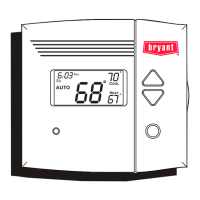
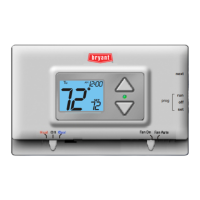
T1--PAC01--A
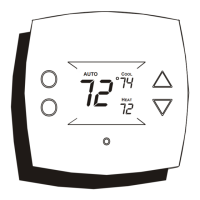
T1--PHP01--A
LEGACY LINE--RNC
PROGRAMMABLE THERMOSTATS
Installation Instructions
Designed and Assembled
in the USA.
A14515
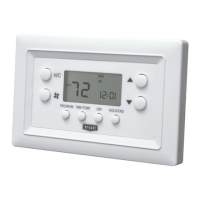
Legacy Line--RNC Series Programmable Thermostat
NOTE: Read the entire instruction manual before starting the
installation
TABLE OF CONTENTS
PAGE
SAFETY CONSIDERATIONS 1.........................
INTRODUCTION 1...................................
INSTALLATION CONSIDERATIONS 1...................
INSTALLATION 1....................................
Step 1 — Thermostat Location 1........................
Step 2 — Install Thermostat 2...........................
Step 3 — Set Thermostat Configuration 2.................
Step 4 — Understand Thermostat Operation 2..............
Step 5 — Check Thermostat Operation 3..................
WIRING DIAGRAMS 4................................
SAFETY CONSIDERATIONS
Improper installation, adjustment, alteration, service, maintenance,
or use can cause explosion, fire, electrical shock, or other
conditions which may cause death, personal injury, or property
damage. Consult a qualified installer, service agency, or your
distributor or branch for information or assistance. The qualified
installer or agency muse use factory--authorized kits or accessories
when modifying this product. Refer to the individual instructions
packaged with the kits or accessories when installing.
Follow all safety codes. Wear safety glasses, protective clothing,
and work gloves. Have a fire extinguisher available. Read these
instructions thoroughly and follow all warnings or cautions
included in literature and attached to the unit. Consult local
building codes and the current editions of the National Electrical
Code (NEC) NFPA 70.
In Canada, refer to the current editions of the Canadian Electrical
Code CSA C22.1.
Recognize safety information. This is the safety--alert symbol
.
When you see this symbol on the unit and in the instructions or
manuals, be alert to the potential for personal injury.
Understand the signal words DANGER, WARNING,and
CAUTION. These words are used with the safety--alert symbol.
DANGER identifies the most serious hazards which will result in
severe personal injury or death. WARNING signifies a hazard
which could result in personal injury or death. CAUTION is used
to identify unsafe practices which may result in minor personal
injury or product and property damage. NOTE is used to highlight
suggestions which will result in enhanced installation, reliability, or
operation.
INTRODUCTION
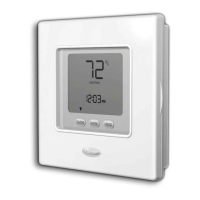
There are two Legacy Line--RNC Series programmable thermostat
models, one for AC applications and one for HP applications. Both
are dual powered, operating from either 24VAC or two alkaline
AA batteries. Configuration and program schedules are stored in
non--volatile memory, preserving this information during power
loss and battery removal. Features include simplified 5/2
programming, large backlit display, and modern styling.
The AC model provides one stage of heating and one stage of
cooling.
The HP model provides two stages of heating and one stage of
cooling.
INSTALLATION CONSIDERATIONS
AC Operation
For 24VAC operation, both the R and C wires must be connected
to the 24VAC power source. Batteries are not needed.
Battery Operation
When batteries are used, the common (C) connection is not needed,
saving a wire, and eliminating 24VAC operation. The thermostat
continues to operate in the event of a power failure. Battery life is
expected to be one year. A “low battery” reminder tells the
homeowner when it is time to replace the batteries. When
connected without the common wire, the thermostat will not
operate without batteries. Continuous back--lighting is not
available.
Both Battery and AC Operation
If both batteries and 24VAC operation are used (batteries installed
and the common wire connected), and indefinite clock operation
are provided, the battery will be used only during AC power loss,
extending battery life to nearly its shelf life.
A jumper has to be properly set for backlight operation. J2 should
be set in the “AC” position when the thermostat is operated from
24VAC. J2 should be set in the “BAT” position when the
thermostat is operated from batteries. The thermostat will continue


 To Next Page
 General